
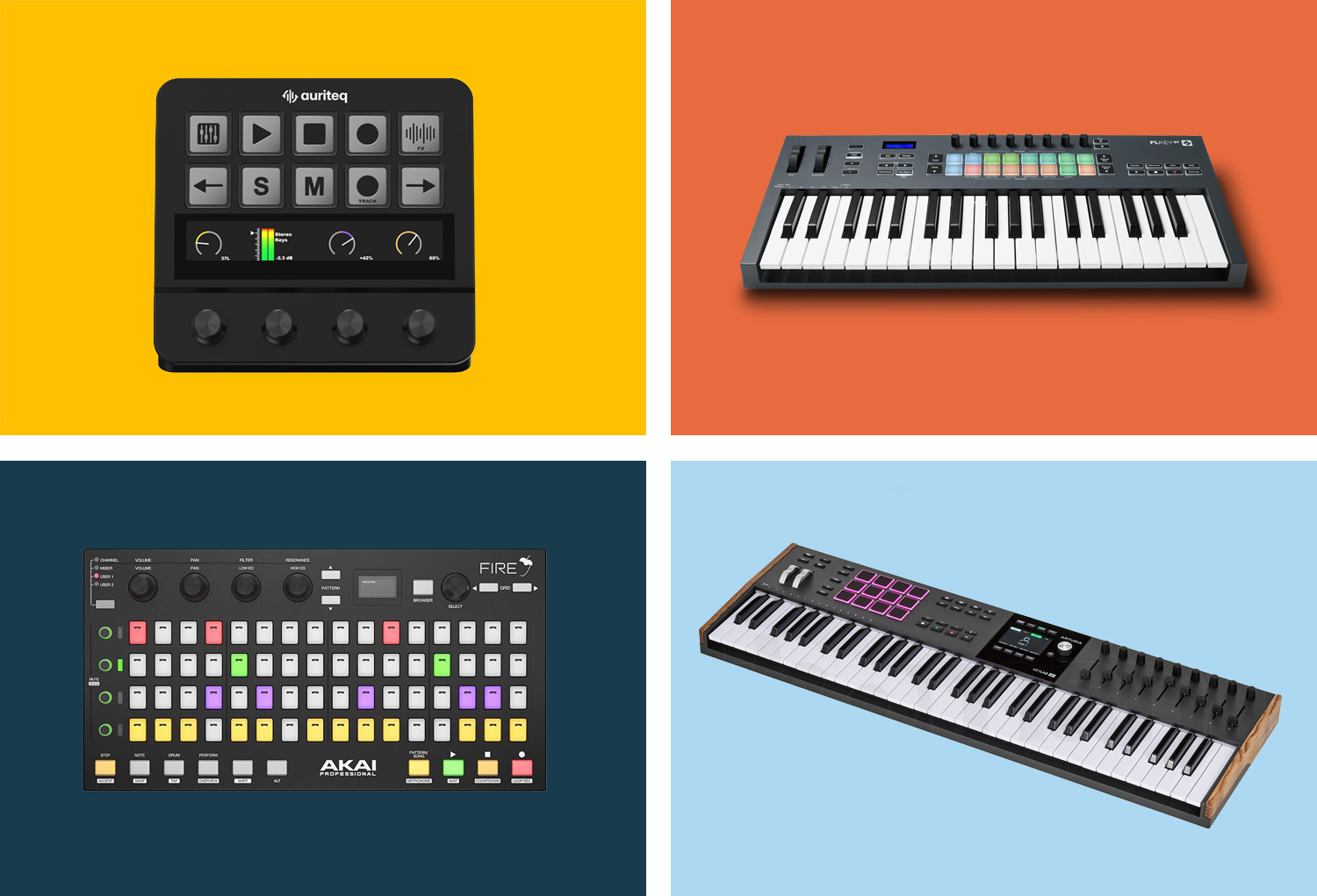
FL Studio supports a wide range of MIDI controllers – from the universal Mackie Control Protocol to dedicated FL Studio integrations from manufacturers like Novation and Akai. Some controllers are even specifically designed for FL Studio, offering direct control over Channel Rack, Step Sequencer, and Mixer. In this guide, we'll look at the 9 best controllers for FL Studio 2026, from compact budget solutions to FL Studio-specific professional tools.
What to look for when buying an FL Studio controller
Before we dive into the individual models, here are the most important criteria you should keep in mind:
- FL Studio Integration: Some controllers offer dedicated FL Studio scripts with direct control of Channel Rack, Step Sequencer, and Mixer. Others use the universal Mackie Control Protocol (MCU), which works but is less deep. The more native the integration, the smoother the workflow.
- Pads vs. Keys: FL Studio thrives on patterns and beats. Those who work a lot with the Step Sequencer or drum patterns benefit greatly from velocity-sensitive pads. Those who want to play melodies and chords need a MIDI keyboard. Ideally, the controller has both.
- Faders and Encoders: For mixer control in FL Studio, physical faders or encoders are a real upgrade over mouse dragging. Motorized faders move automatically with the project — static faders and encoders are cheaper and more compact.
- Plugin Control: Those who work a lot with third-party plugins should make sure the controller can directly control plugin parameters — ideally without manual MIDI mapping.
- Portability: FL Studio is often used on laptops. If you produce on the go, a compact, bus-powered controller is worth its weight in gold.
- Budget: From €65 to over €500, there's something for everyone. The good news: Even in the lower price range, there are controllers that noticeably improve the FL Studio workflow.
The 9 Best Controllers for FL Studio 2026 at a Glance
1. Auriteq Flow — Best for Plugin Control and Mixing
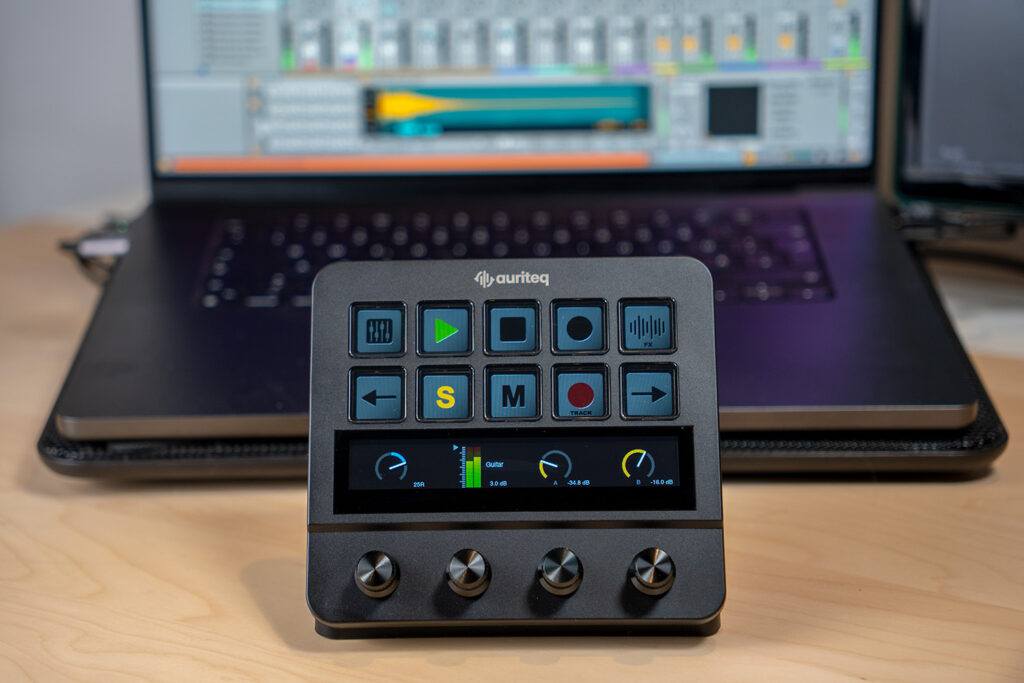
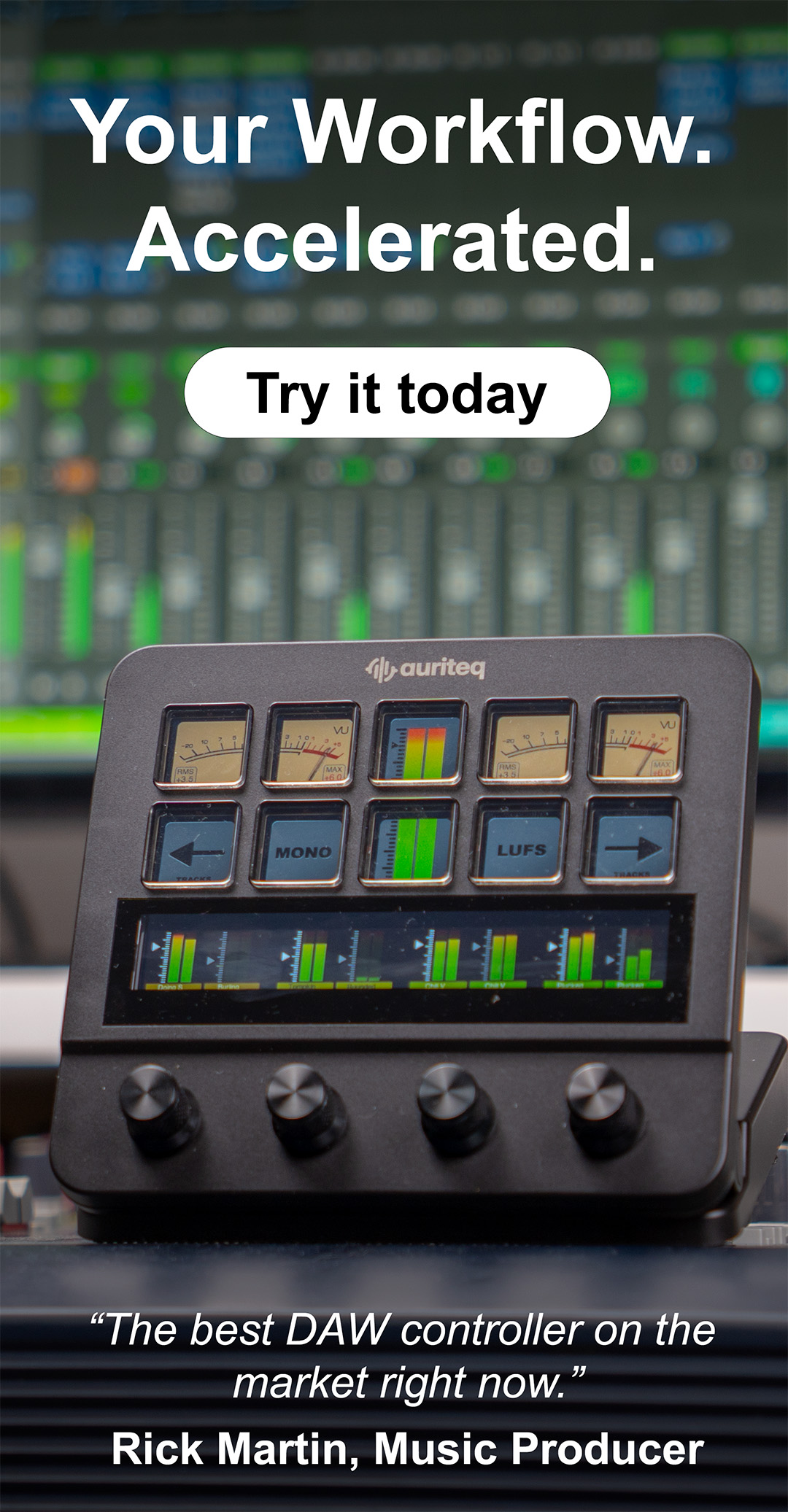
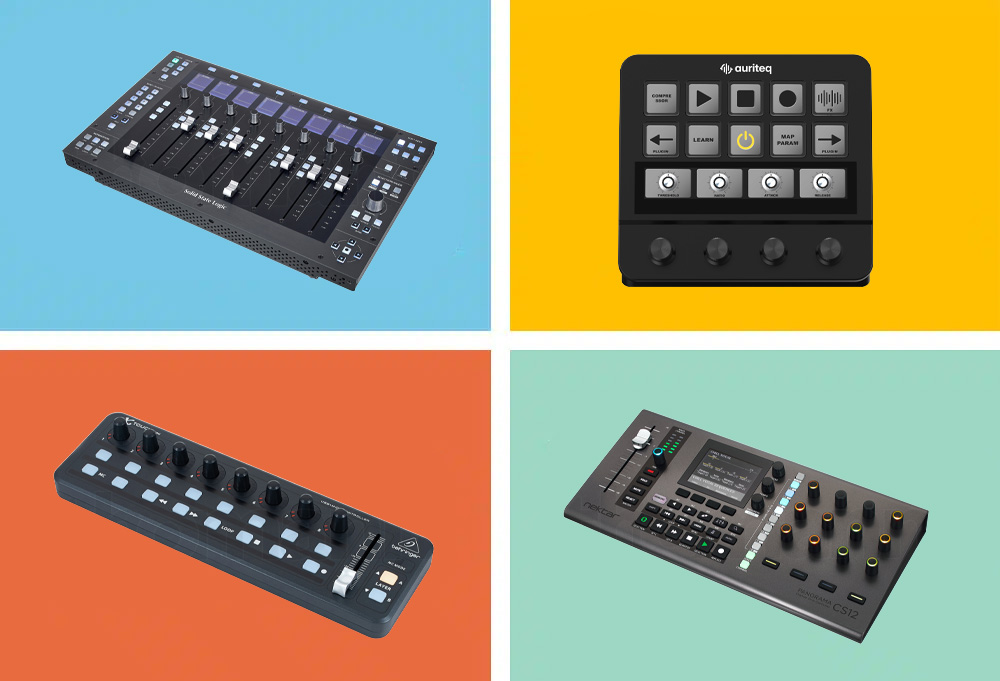
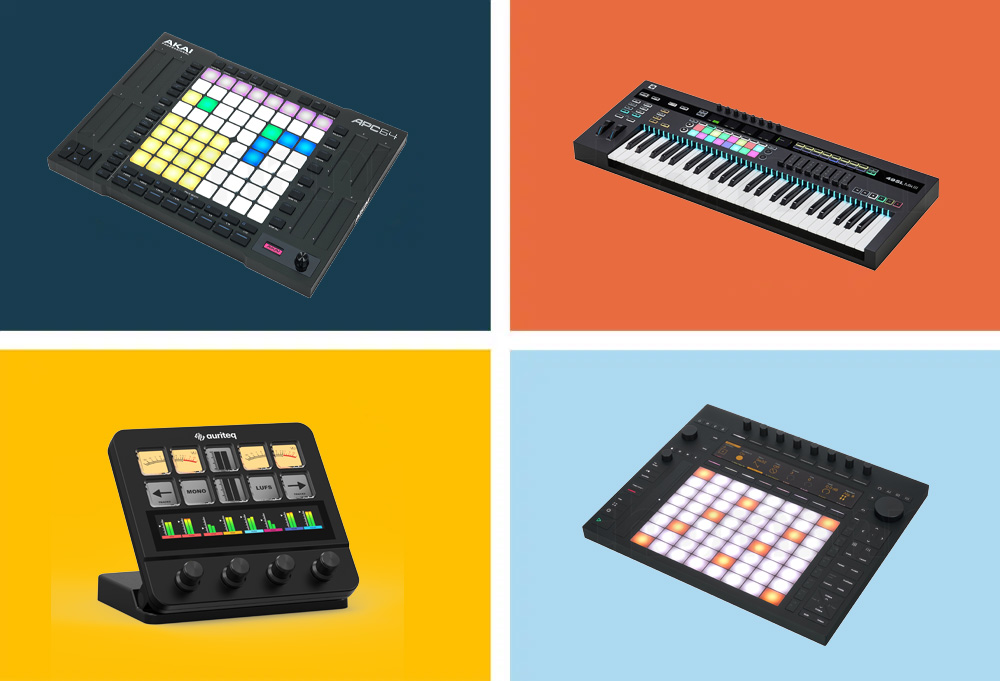
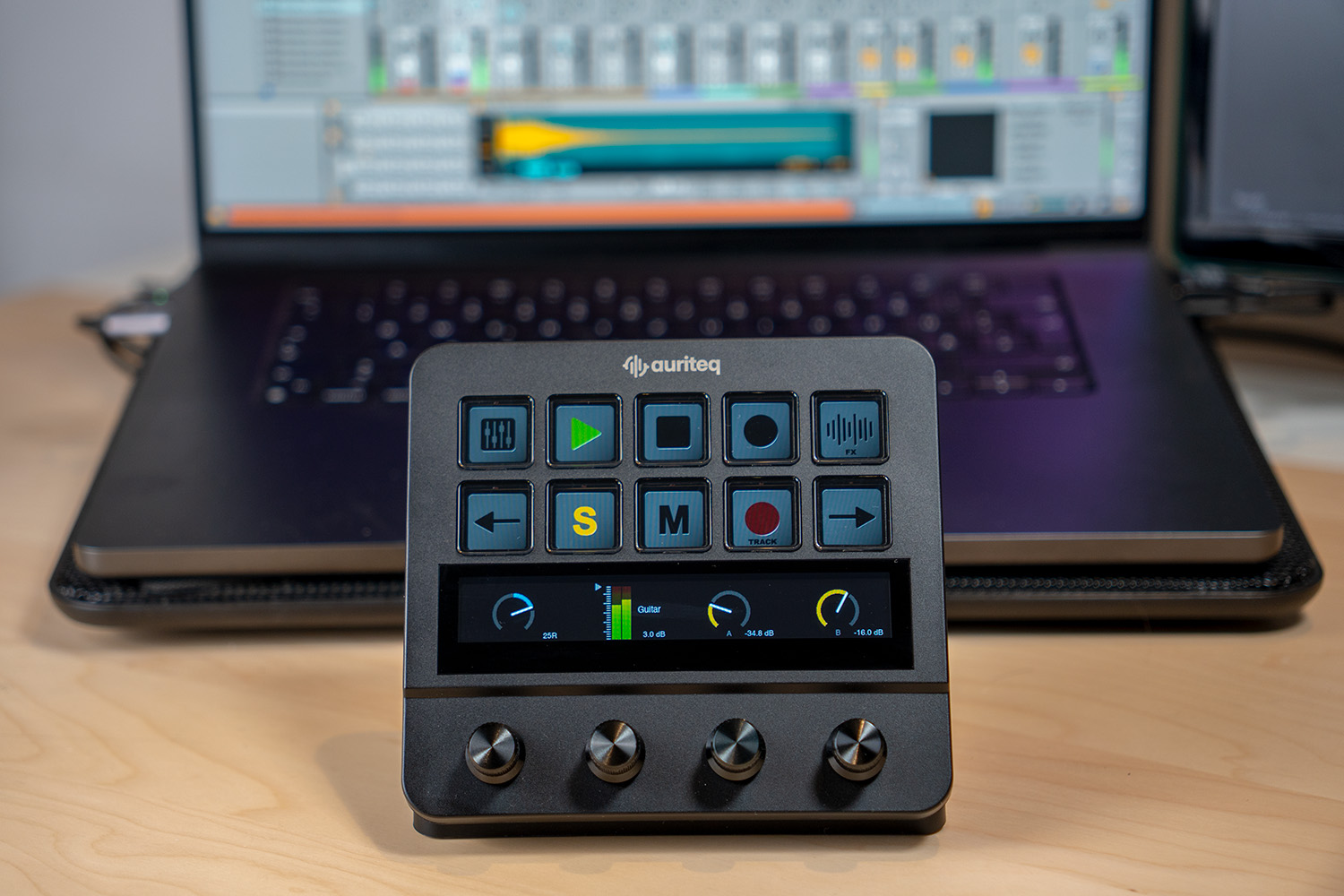
The Auriteq Flow is a compact desktop controller with dynamic LCD buttons, a touch bar, and pressure-sensitive rotary knobs that seamlessly sit between you and your DAW — making the mouse completely unnecessary in many situations. What sets it apart from other controllers: the type of plugin integration. In FL Studio, you simply select a plugin window — whether Sytrus, Serum, FabFilter, Valhalla, or Kontakt — and the Flow immediately takes control of its parameters. No MIDI mapping, no MIDI learn, no setup. Click on the plugin window, done.
It also comes with a dedicated FL Studio script that goes far beyond simple MIDI control. The Flow offers deep integration into FL Studio's transport control, a dedicated sequencer scene that turns the controller into a hardware step sequencer, and direct instrument control — all natively, without configuration. A recording scene for arming tracks and starting recording is also on board, as well as integrated LUFS metering (including VU meter, short-term loudness, dynamic range) and an 8-track mixer view with real-time level displays.
What surprisingly saves a lot of time in everyday life: marker jumps, which let you jump directly to any point in the song without having to scroll. Combined with the metering and mixer view, you practically have a small production center on your desk. For FL Studio producers who work a lot with third-party plugins and want to control their mix directly on the controller, there's currently nothing comparable in this price range.
TECHNICAL SPECS
Manufacturer: Auriteq
Controls: 10 dynamic LCD buttons, touch bar, 4 pressure-sensitive rotary knobs
Display: Touchscreen with real-time metering and plugin display
Metering: LUFS, VU, RMS, Dynamic Range (via included VST/AU plugin)
Mixer: 8-track mixer with level indicators directly on the display
USB Hub: 2x USB-3, 2x USB-C integrated
DAW Support: FL Studio, Ableton Live, Logic Pro (native integration)
Connection: USB-C
Colors: Black, White
Price: approx. 179€ (Launch offer, regular 199€)
ARGUMENTS IN FAVOR
- Automatic plugin mapping — works immediately with FL Studio's own and third-party plugins, without setup
- Dedicated sequencer scene turns the Flow into a hardware step sequencer for FL Studio
- Integrated LUFS metering at a professional level — no separate plugin needed
- Load and save plugins, instruments, and complete chains at the touch of a button
- Marker jumps for quick navigation through the song
- Integrated USB hub tidies up the desk
- Solid build quality — feels like professional equipment
- Also usable as a macro controller outside the DAW (shortcuts for video editing, design, etc.)
NEGATIVE POINTS
- Takes a bit of time to get used to all the scenes and functions — but after about 2 hours, you've got it
- No MIDI keyboard — you need a separate keyboard for melodies and chords
- No pads for beatmaking or finger drumming
- Still a relatively new brand — the community and ecosystem are just growing
WHO IS IT SUITABLE FOR?
For FL Studio producers who work a lot with plugins and want to noticeably speed up their workflow. The dedicated sequencer scene and automatic plugin mapping make the Flow particularly interesting for beatmakers and mix engineers who are tired of constant mouse clicking. For under €200, it's a pretty convincing overall package.
Link: Auriteq Flow
2. Novation FLkey 37 — Best FL Studio-specific Keyboard
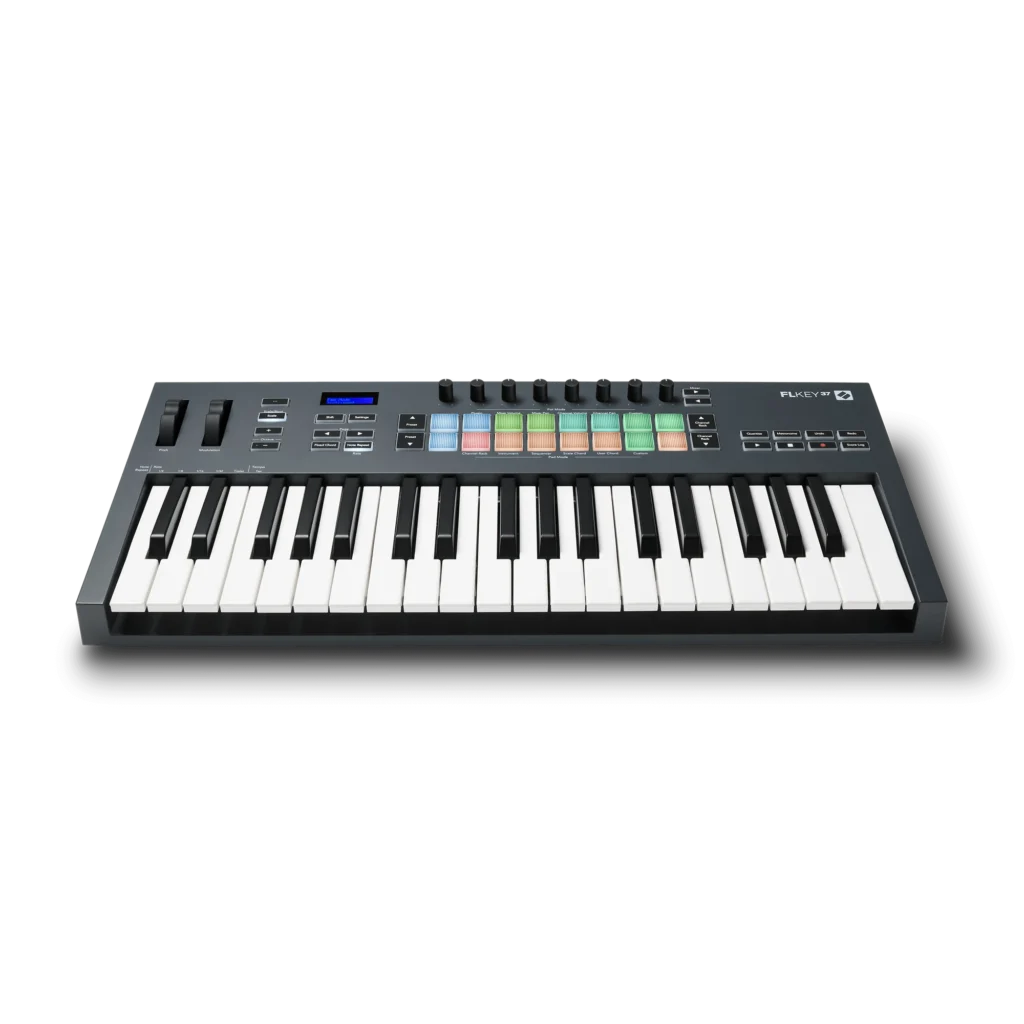
When Novation builds a controller that literally has "FL" in the name, you can assume the integration is deep — and it is. The FLkey 37 was developed from the ground up for FL Studio and offers direct control over Channel Rack, Step Sequencer, and Mixer, without having to manually map a single parameter. Plug in, open FL Studio, and get started.
The 37 full-size keys (not mini-keys!) offer a solid playing feel for melodies and basslines. Plus, there are 16 velocity-sensitive RGB pads that directly control the steps in FL Studio's Channel Rack in step sequencer mode — programming beats feels like using a real drum machine. The 8 rotary knobs can be assigned to the mixer or control plugin parameters. Pitch and mod wheels are, of course, included, along with dedicated transport buttons and a 2×16 character display.
A special highlight is the creative scale and chord modes: Scale mode limits the keys to a chosen scale — wrong notes are thus excluded. Chord mode lets you play complex chord progressions with one finger. For producers who want to quickly capture ideas, these are real game-changers. There's also a generous software bundle with a 6-month FL Studio Producer Edition trial and plugins from XLN Audio, Spitfire Audio, AAS, and Klevgrand.
TECHNICAL SPECS
Manufacturer: Novation
Keys: 37 full-size keys
Pads: 16 velocity-sensitive RGB pads
Encoder: 8 rotary knobs
Display: 2×16 character LCD
Wheels: Pitch Bend + Modulation
Connections: USB-B, 5-pin MIDI Out, 6.35mm sustain pedal input
Included Software: FL Studio Producer Edition (6-month trial), XLN Addictive Keys, AAS Session Bundle, Spitfire Expressive Strings, Klevgrand DAW Cassette + ROVerb
Price: ca. 179€
ARGUMENTS IN FAVOR
- Specifically developed for FL Studio — Channel Rack, Step Sequencer, and Mixer immediately controllable
- 16 RGB pads directly control the step sequencer — program beats like on a drum machine
- Scale and chord modes for quick, error-free songwriting
- Full-size keys (not mini-format) — pleasant playing feel
- Generous software bundle with FL Studio Producer trial
- 5-pin MIDI Out for external hardware
- Very good value for the money
NEGATIVE POINTS
- No faders — only encoders available for mixer control
- 2×16 character display is functional but not comparable to OLED displays of other controllers
- Less useful if you also work in other DAWs — integration is FL Studio exclusive
- Keys are not weighted — not ideal for pianists
WHO IS IT SUITABLE FOR?
The FLkey 37 is the obvious choice for producers who work exclusively in FL Studio and are looking for a controller that works immediately — no configuration, no compromises. The direct step sequencer control via the pads is a real unique feature. Anyone who loves FL Studio and is looking for a full-size keyboard with deep integration will not be disappointed here.
Link: Thomann
3. Akai Fire — Only dedicated FL Studio hardware controller
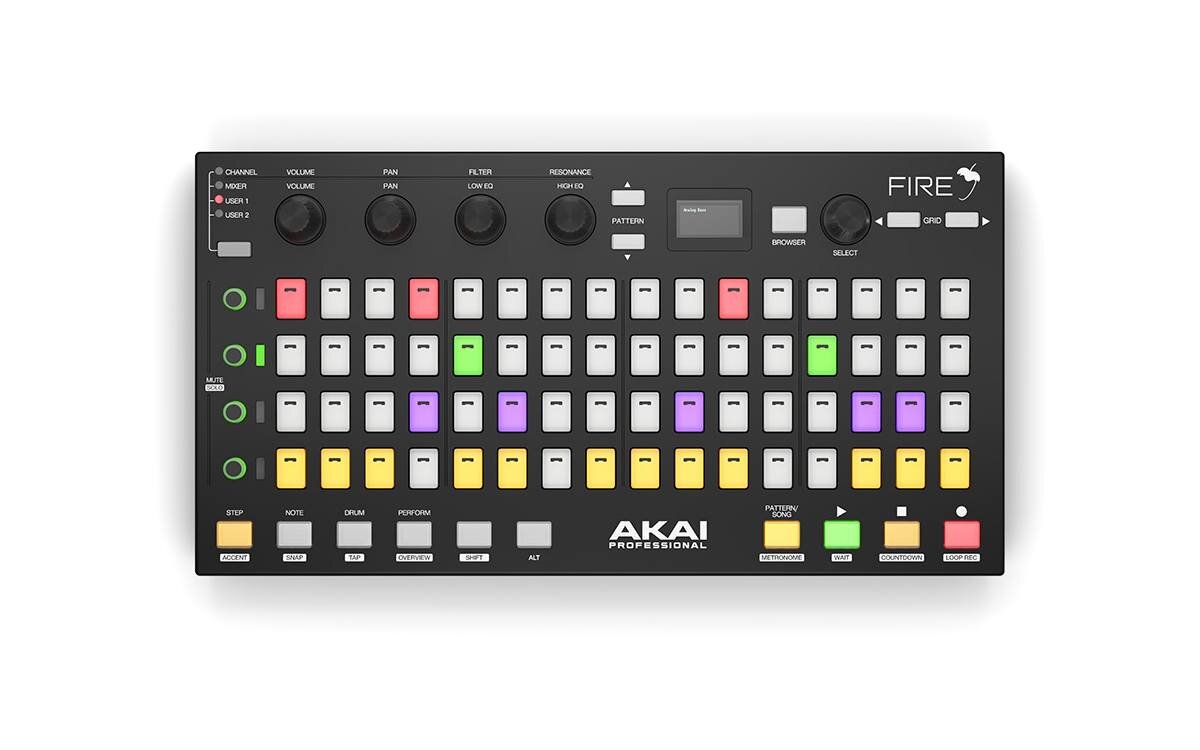
The Akai Fire is unique: The only hardware controller on the market developed in direct collaboration with Image-Line — the makers of FL Studio. The concept: A 4×16 matrix of velocity-sensitive RGB pads that maps FL Studio's step sequencer 1:1 onto physical hardware. Click patterns, play notes, program beats — all directly on the pads, without touching the mouse.
The OLED display shows the browser, plugin parameters, and the current status of your session. The 4 touch-sensitive encoders each have 4 banks (Channel, Mixer, User 1, User 2) and give you quick access to the most important parameters. In note mode, the pads turn into a MIDI keyboard with three octaves — perfect for melodies and basslines when no separate keyboard is at hand.
Especially clever: Up to four Akai Fire units can be used simultaneously and connected to form an 8×32 matrix — but this is only relevant for absolute power users. For most producers, a single device is more than enough. FL Studio Fruity Fire Edition is included, making it particularly attractive for newcomers.
TECHNICAL SPECS
Manufacturer: Akai Professional (in collaboration with Image-Line)
Pads: 4×16 velocity-sensitive RGB pad matrix (64 pads)
Encoder: 4 touch-sensitive rotary knobs with 4 banks
Display: OLED display for browser, parameters, and status
Modes: Step, Note, Drum, Performance
Connection: USB (bus-powered)
Included Software: FL Studio Fruity Fire Edition
Price: approx. 199€ (with software) / approx. 149€ (Controller Only)
ARGUMENTS IN FAVOR
- Only controller specifically developed for FL Studio in collaboration with Image-Line
- 4×16 RGB pad matrix mirrors the step sequencer 1:1 — most intuitive beatmaking experience for FL Studio
- Note Mode gives you 3 octaves of MIDI keyboard directly on the pads
- OLED display for browser navigation and parameter control
- Up to 4 units can be used simultaneously
- FL Studio Fruity Edition included — perfect for beginners
- Plug-and-play — no setup needed
NEGATIVE POINTS
- No MIDI keyboard — the pads in Note Mode don't replace real keys
- No faders or encoders for multi-channel mixing
- Only 4 encoders for entire parameter control — limited for complex plugins
- Works exclusively with FL Studio — useless for other DAWs
- Build quality is decent, but not premium
WHO IS IT SUITABLE FOR?
For beat producers and pattern-based music makers who want to maximize their FL Studio workflow. The pad matrix is the highlight — those who work a lot with the step sequencer will love the Akai Fire. Less suitable for producers who primarily mix or work a lot with plugin parameters.
4. Novation Launchkey MK4 (49 keys) — Best Allrounder
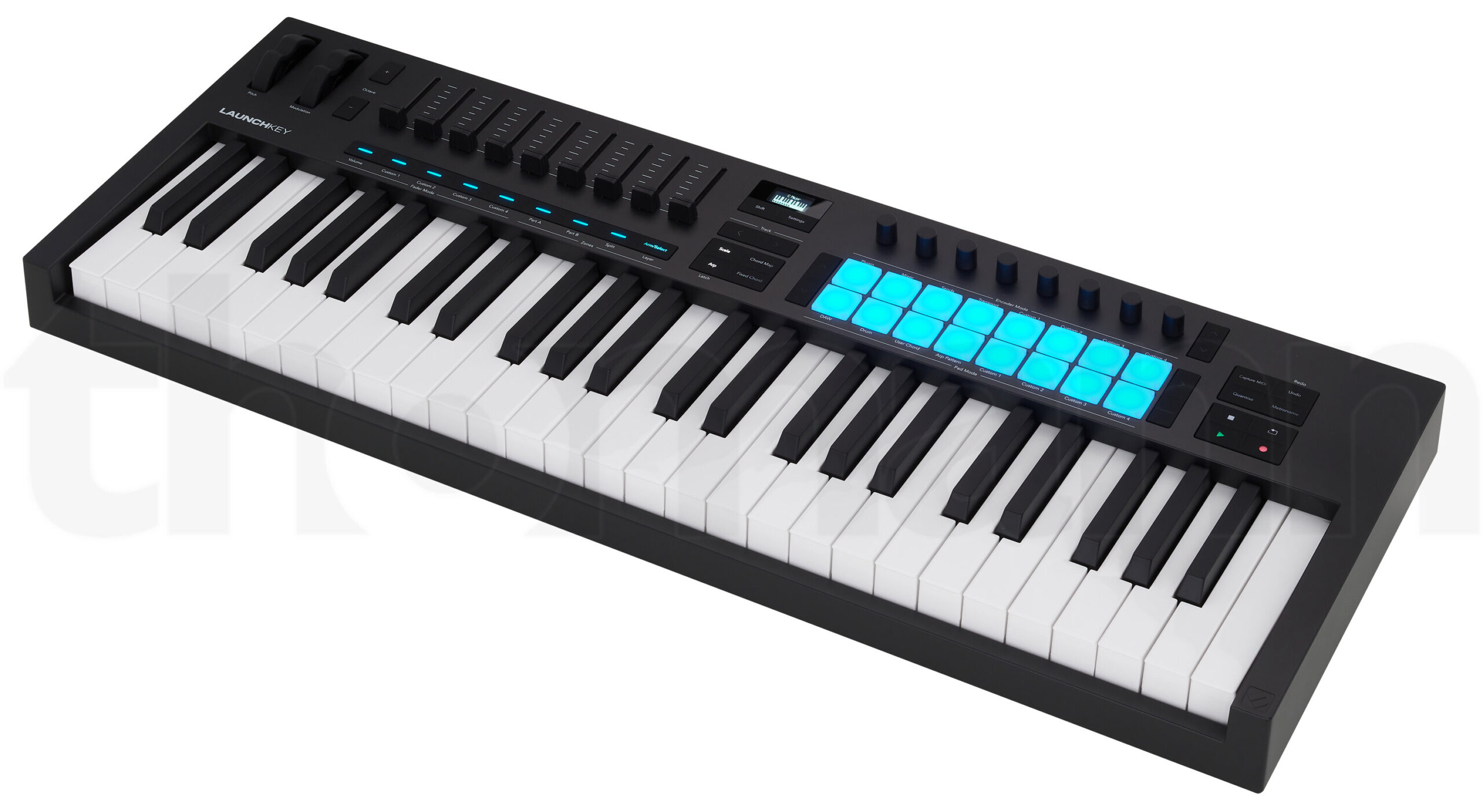
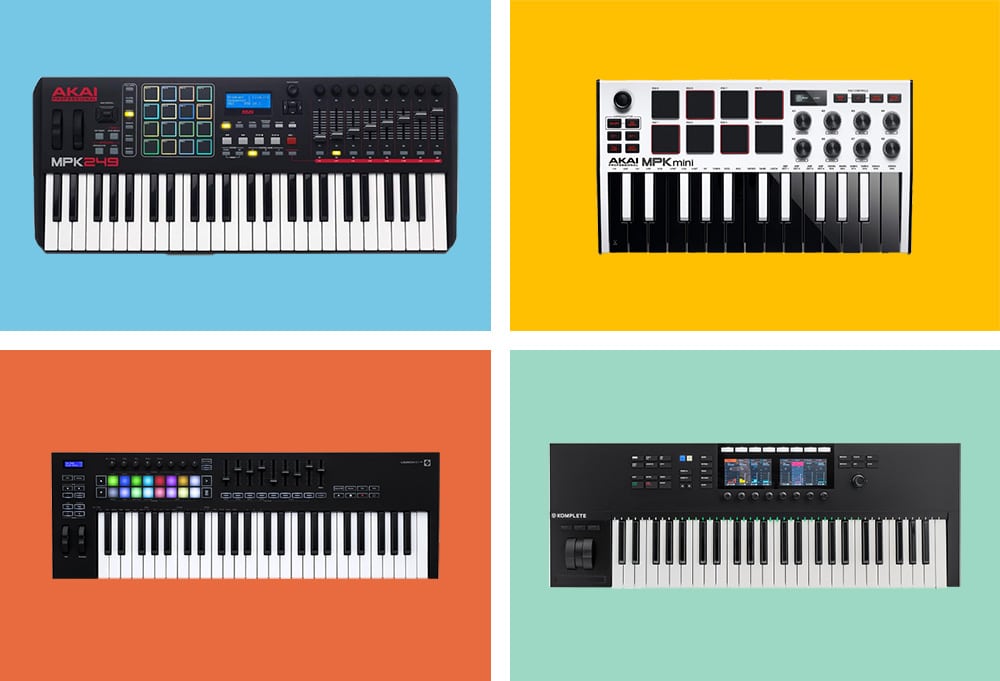
The Novation Launchkey MK4 is one of the most popular MIDI controllers on the market — and rightly so. In its fourth generation, Novation has completely redesigned the device, creating something that offers an incredible amount for both beginners and experienced producers. 49 semi-weighted keys, 16 velocity-sensitive RGB pads, 9 faders, 8 rotary knobs, and an OLED display — all in one device.
For FL Studio users, the Launchkey MK4 offers solid integration after downloading the FL Studio scripts. FL Studio automatically recognizes the controller, and the pads light up to show the tracks in the channel rack. The faders can be assigned to the FL mixer, the encoders control plugin parameters, and the pads trigger drums or control the step sequencer. The OLED display shows parameter names, so you always know which knob is controlling what.
Additionally, there are creative features like 30 scale modes, chord modes, and a generative arpeggiator, which work excellently for songwriting. The Launchkey MK4 also supports Novation Play — a synthesizer included in FL Studio, whose parameters can be directly controlled via the controller. The included software bundle is generous: Ableton Live Lite, Cubase LE, and plugins from Klevgrand, GForce, Native Instruments, and Orchestral Tools. For approx. 219€, you get a true allrounder.
TECHNICAL SPECS
Manufacturer: Novation
Keys: 49 semi-weighted waterfall keys
Pads: 16 velocity-sensitive RGB pads
Fader: 9 faders
Encoder: 8 rotary knobs
Display: OLED display for real-time feedback
Connection: USB-C (bus-powered)
Included Software: Ableton Live Lite, Cubase LE, Novation Play, plugins from Klevgrand, GForce, Native Instruments, and Orchestral Tools
Price: approx. 219€
ARGUMENTS IN FAVOR
- FL Studio integration via scripts — channel rack, mixer, and plugin control
- Built-in creative chord and scale modes — perfect for songwriting
- Generative arpeggiator for quick inspiration
- 9 faders + 8 encoders = maximum control over the mix
- OLED display shows parameter names and current values
- Supports Novation Play directly from FL Studio
- Large software bundle included
- Also excellent for other DAWs — no vendor lock-in
NEGATIVE POINTS
- FL Studio integration requires downloading scripts — not quite as seamless as with the FLkey
- Not the best choice if you need weighted keys for piano playing
- Takes up relatively much space on the desk
- Faders are not motorized — positions jump when switching banks
WHO IS IT SUITABLE FOR?
The Launchkey MK4 is perfect for FL Studio producers looking for an all-in-one controller — MIDI keyboard, pad controller, and mix control in one device. Highly recommended if you also work in Ableton or Logic alongside FL Studio and need a universal controller that works everywhere.
Link: Thomann
5. AKAI MPK Mini MK IV — Best portable controller
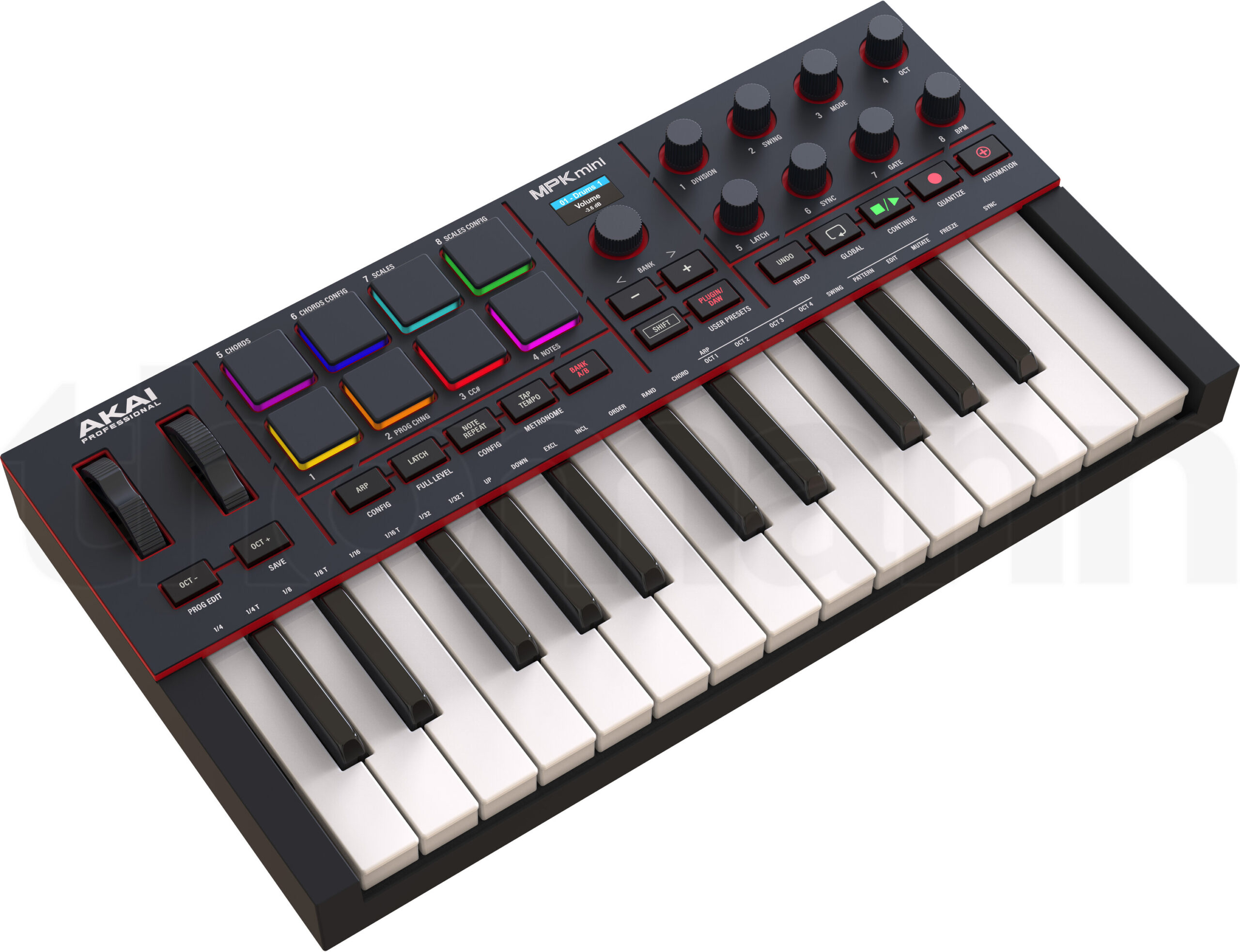
The AKAI MPK Mini has been the best-selling portable MIDI controller for years — and in its fourth generation, it's better than ever. The concept is simple: 25 mini keys, 8 velocity-sensitive pads, 8 knobs, a small joystick for pitch bend and modulation, and an OLED display. All in a case that fits in any backpack and is powered via USB.
For FL Studio, Akai provides pre-configured scripts that allow for immediate integration. The pads can be assigned to the channel rack, the encoders control the mixer or plugin parameters, and the transport buttons start and stop playback. The OLED display shows the current mode and parameter values — a significant upgrade over the predecessor.
What makes the MPK Mini MK IV special: It's the perfect companion for on the go. If you're producing in FL Studio on a laptop — on the train, in a hotel room, on the couch — the MPK Mini has everything you need. The pads are surprisingly good for finger drumming, the mini keys are enough for quick melody ideas, and the encoders provide enough physical control so you don't have to constantly reach for the mouse. The included software package with MPC Beats and various plugins rounds off the offer.
TECHNICAL SPECS
Manufacturer: AKAI Professional
Keys: 25 mini keys (velocity-sensitive)
Pads: 8 velocity-sensitive pads with backlight
Encoder: 8 knobs (360°)
Display: OLED display
Joystick: 4-way joystick for pitch bend and modulation
Connection: USB-C (bus-powered)
Weight: approx. 750g
Included Software: MPC Beats, plugins from AIR Music Tech
Price: approx. 99€
ARGUMENTS IN FAVOR
- Extremely compact and lightweight — the perfect travel controller for FL Studio
- Pre-configured FL Studio scripts for immediate integration
- OLED display shows parameters and modes
- 8 pads + 8 encoders provide enough control for on the go
- USB-C and bus-powered — one cable is enough
- Solid build quality for the price
- Software bundle with MPC Beats included
NEGATIVE POINTS
- Mini keys are too small for serious playing — more for sketching ideas
- Only 25 keys — less than 2 octaves, limited for chords and melodies
- No faders — only encoders available for mixer control
- Joystick instead of a real pitch wheel — a matter of taste
WHO IS IT SUITABLE FOR?
The MPK Mini MK IV is the best portable controller for FL Studio producers who work on the go. Ideal as a complement to the studio setup or as the only controller for laptop producers. If you're looking for a compact, reliable controller that fits in your backpack and works immediately with FL Studio, the MPK Mini is the safe choice.
Link: Thomann
6. Arturia KeyLab MK3 (61 Keys) — Best Premium Keyboard
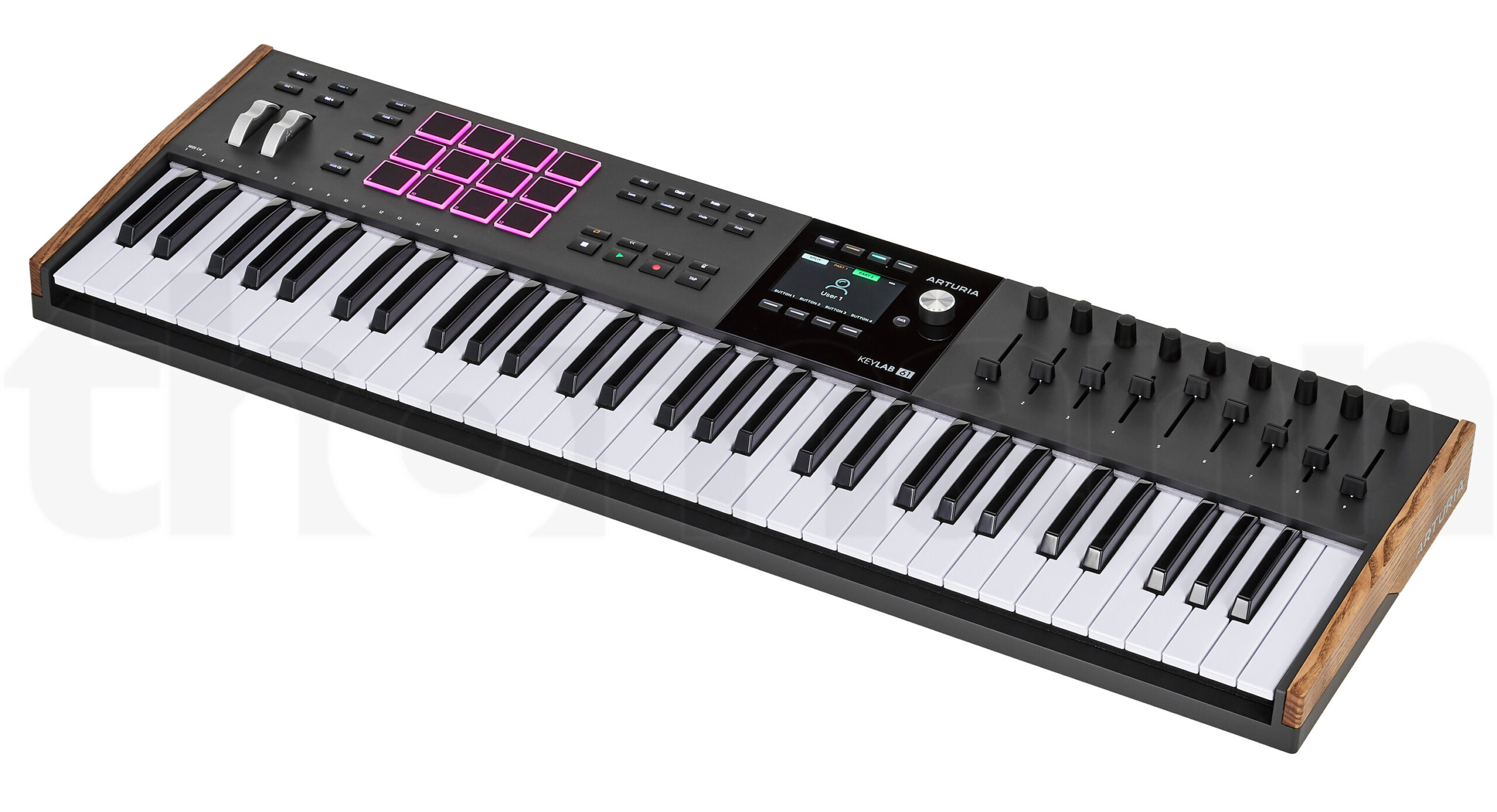
The Arturia KeyLab MK3 has become a true flagship keyboard in its third generation. The build quality is excellent, the design appealing, and the DAW integration has improved with every update. For FL Studio users, Arturia offers dedicated scripts that allow seamless control of transport, mixer, and plugin parameters after installation.
The 61 semi-weighted keys with aftertouch feel great to play — perfect for synth parts, pad sounds, and melodies. The 16 velocity-sensitive pads with polyphonic aftertouch are excellent for beatmaking and finger drumming. Plus, there are 9 motorized faders (a real standout feature in this class), 9 rotary knobs, and a large LCD display that shows parameter names and values in real-time.
The included software package is one of the most comprehensive on the market: Analog Lab Pro with thousands of sounds, Piano V, Augmented Strings, and more plugins. The motorized faders are the big distinguishing feature — they move automatically with the project and show you the current position at any time. For FL Studio producers looking for a premium keyboard that can also control the mixer, there are few better options.
TECHNICAL SPECS
Manufacturer: Arturia
Keys: 61 semi-weighted keys with aftertouch
Pads: 16 velocity-sensitive pads with polyphonic aftertouch
Fader: 9 motorized faders
Encoder: 9 touch-sensitive rotary knobs
Display: Large LCD display for parameters and navigation
Connections: USB-C, 5-pin MIDI In/Out, CV/Gate output, 4 pedal inputs
Included Software: Analog Lab Pro, Piano V, Augmented Strings, Rev Plate-140
Price: approx. €549 (61 keys)
ARGUMENTS IN FAVOR
- Motorized faders in a MIDI keyboard — rare and valuable combination
- Dedicated FL Studio scripts for transport, mixer, and plugin control
- Excellent playing feel — semi-weighted keys with aftertouch
- 16 pads with polyphonic aftertouch for beatmaking
- Huge software bundle with Analog Lab Pro included
- CV/Gate output for analog synthesizers
- Beautiful, professional design and craftsmanship
NEGATIVE POINTS
- At approx. €549 not cheap — there are cheaper keyboards with a similar number of keys
- FL Studio integration requires downloading and installing a separate script
- Takes up a lot of desk space (61 keys)
- Needs an external power supply for the motorized faders
WHO IS IT SUITABLE FOR?
The KeyLab MK3 is the right choice for keyboardists and producers who expect a high-quality playing experience and want to control their FL Studio mix on the controller at the same time. The motorized faders set it apart from the competition. The included software package also makes getting started particularly attractive.
Link: Thomann
7. Nektar Impact LX49+ — Best Budget Keyboard with FL Studio Integration
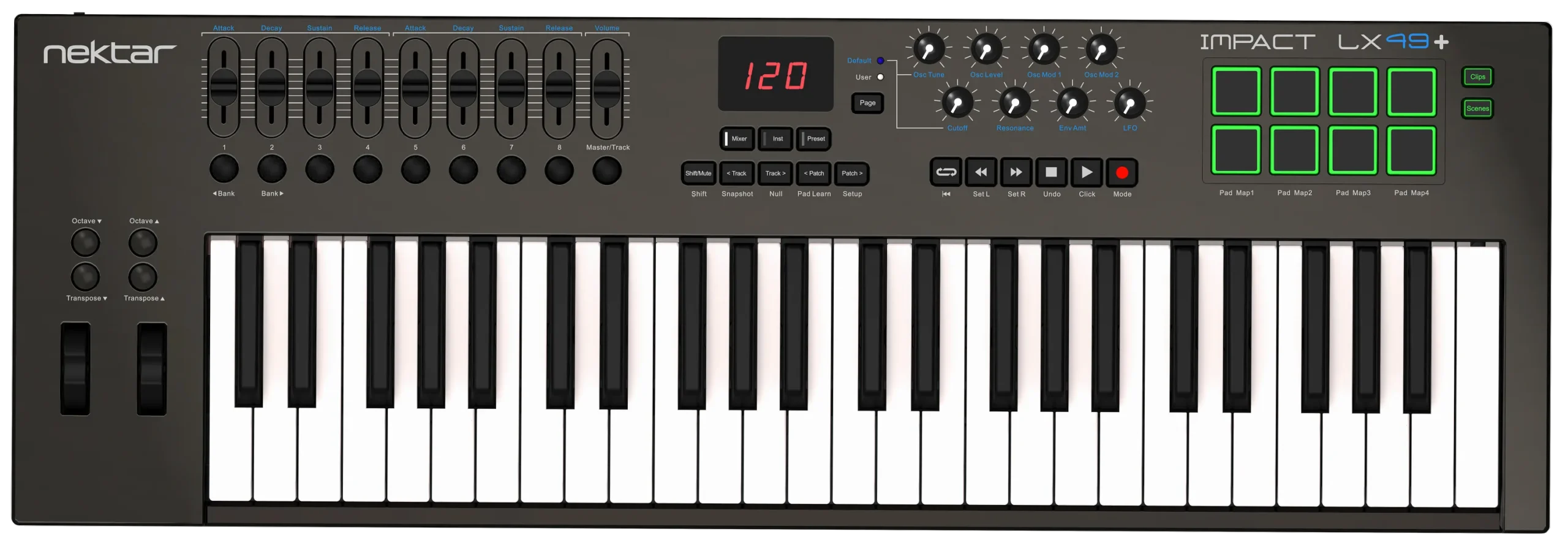
The Nektar Impact LX49+ proves that you don't have to spend a fortune for solid FL Studio integration. For about €130, you get 49 velocity-sensitive keys, 9 faders, 9 buttons, 8 knobs, and 8 pads — an amazingly complete package for the price. What sets the Impact LX49+ apart from other budget keyboards: Nektar provides a tailor-made DAW integration for FL Studio that works immediately after plugging in.
The FL Studio integration includes transport control, mixer control via the faders, and plugin parameter control via the encoders. It's not as deep as with the FLkey controllers, but remarkably well done for the price. The keys have a synth action with medium tension — not comparable to semi-weighted keyboards of the higher price range, but absolutely usable for playing melodies and chords.
The package includes 5 full Cherry Audio plugins, including Mercury-6 (a model of the classic Jupiter-6 synthesizer) and Bitwig Studio 8-Track. For beginners and budget-conscious producers, the Impact LX49+ is an excellent entry point — it offers everything you need to get started without compromising on FL Studio integration.
TECHNICAL SPECS
Manufacturer: Nektar
Keys: 49 velocity-sensitive keys (synth action)
Pads: 8 velocity-sensitive pads
Fader: 9x 30mm faders
Encoder: 8 rotary knobs
Buttons: 9 buttons + transport section
DAW Support: FL Studio, Ableton Live, Logic Pro, Cubase, Reaper, Studio One, and more
Connection: USB (bus-powered)
Dimensions: 80.3 x 26.7 x 7.6 cm / approx. 3.2 kg
Included Software: 5 Cherry Audio plugins, Bitwig Studio 8-Track
Price: approx. €130
ARGUMENTS IN FAVOR
- Excellent value for money — 49 keys, 9 faders, 8 encoders, and 8 pads for €130
- Tailor-made FL Studio integration out of the box — no manual mapping needed
- 9 faders for direct mixer control — rare in this price range
- Also works great with other DAWs
- Solid software bundle with Cherry Audio plugins and Bitwig
- Bus-powered — plug in and go
NEGATIVE POINTS
- Synth action keys don't feel as high-quality as semi-weighted keyboards
- 30mm faders are short — less precision than 60mm or 100mm faders
- No display — parameter names only visible on the screen
- FL Studio integration is less deep than with FLkey or Akai Fire
- Build quality matches the price — functional, but not premium
WHO IS IT SUITABLE FOR?
The Impact LX49+ is the right choice for beginners and budget-conscious producers looking for a full-featured MIDI keyboard with FL Studio integration without spending a lot of money. 49 keys, faders, encoders, and pads — everything on board, everything works. Hard to beat for the price.
Link: Thomann
8. Novation FLkey Mini — Best compact FL Studio controller
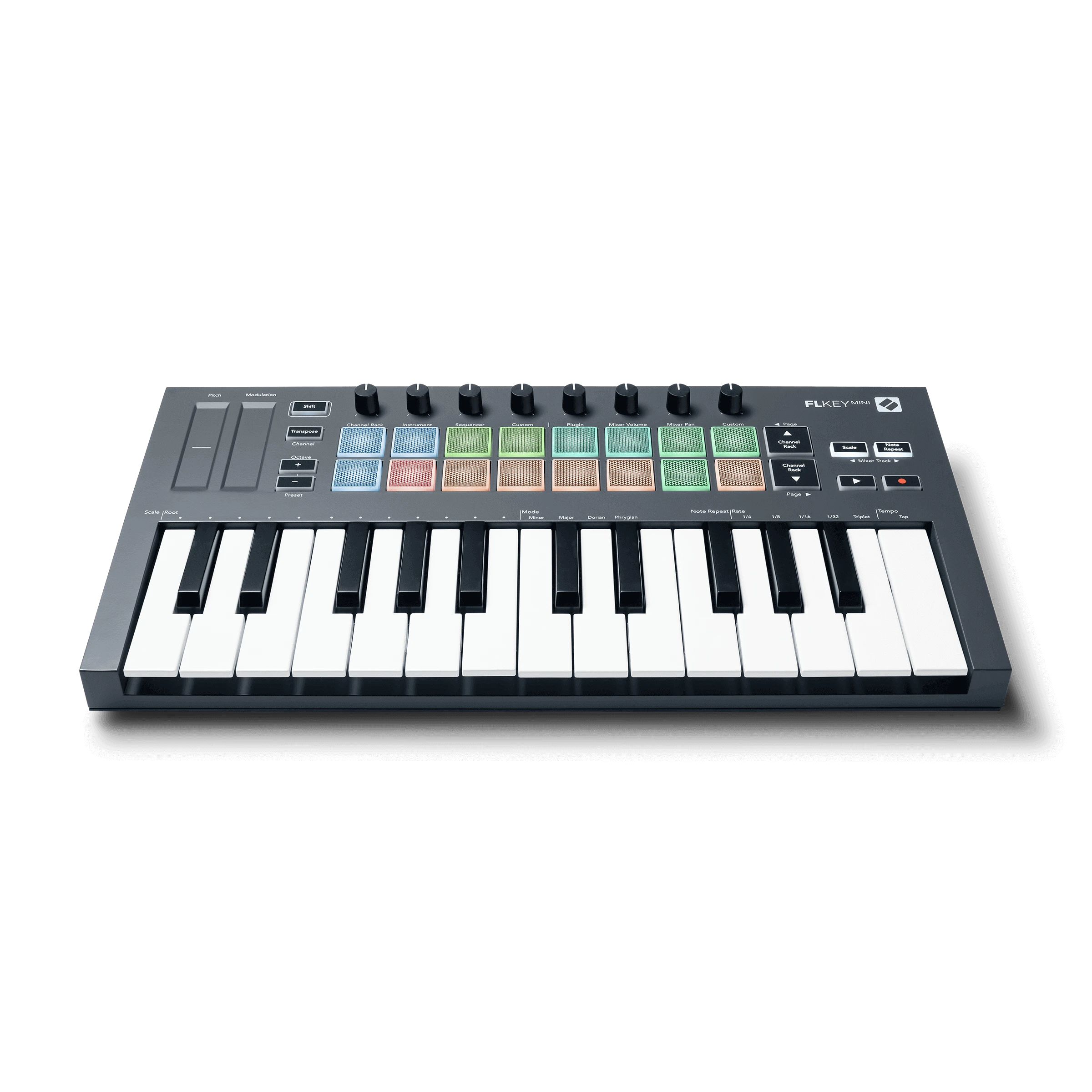
The FLkey Mini is the compact version of the FLkey 37 — same deep FL Studio integration, but in a much smaller format. 25 mini keys, 16 velocity-sensitive RGB pads, 8 rotary knobs, and dedicated transport buttons. Plug in, open FL Studio, and get started right away — the same seamless integration as its big brother.
The strength of the FLkey Mini lies in the combination of portability and FL Studio depth. The 16 pads control the step sequencer directly — programming beats feels just as intuitive as on the FLkey 37. Scale and chord modes are also on board and help with quickly capturing ideas. The 8 encoders can be assigned to the mixer or plugin parameters.
Compared to the AKAI MPK Mini MK IV, the FLkey Mini has significantly deeper FL Studio integration — channel rack, step sequencer, and mixer are directly controllable, not just through generic MIDI assignments. However, the MPK Mini is a bit more versatile. If you work exclusively in FL Studio and are looking for a compact controller, the FLkey Mini is the better choice. A 6-month FL Studio Producer Edition trial is included.
TECHNICAL SPECS
Manufacturer: Novation
Keys: 25 mini keys (velocity-sensitive)
Pads: 16 velocity-sensitive RGB pads
Encoder: 8 rotary knobs
Connections: USB (bus-powered), 3.5mm MIDI out, 6.35mm sustain pedal input
Weight: Approx. 690g
Included Software: FL Studio Producer Edition (6-month trial), XLN Addictive Keys, AAS Session Bundle, Spitfire Expressive Strings
Price: approx. 99€
ARGUMENTS IN FAVOR
- Deepest FL Studio integration in a compact format — channel rack, step sequencer, and mixer directly controllable
- 16 RGB pads for step sequencer control and finger drumming
- Scale and chord modes for quick songwriting
- Extremely compact and lightweight (690g) — perfect for on the go
- FL Studio Producer trial included
- 3.5mm MIDI out for external hardware
- Excellent value for money
NEGATIVE POINTS
- Mini keys — not ideal for expressive playing or large hands
- Only 25 keys — less than 2 octaves
- No faders — only encoders available for mixer control
- Less useful for other DAWs — integration is FL Studio exclusive
WHO IS IT SUITABLE FOR?
The FLkey Mini is perfect for FL Studio producers looking for a compact controller with deep integration. Compared to the MPK Mini, it offers significantly better FL Studio integration. Compared to the FLkey 37, it saves space and money but lacks full-sized keys. Ideal for laptop producers who work exclusively in FL Studio.
Link: Thomann
9. Behringer X-Touch Mini — Best absolute budget controller
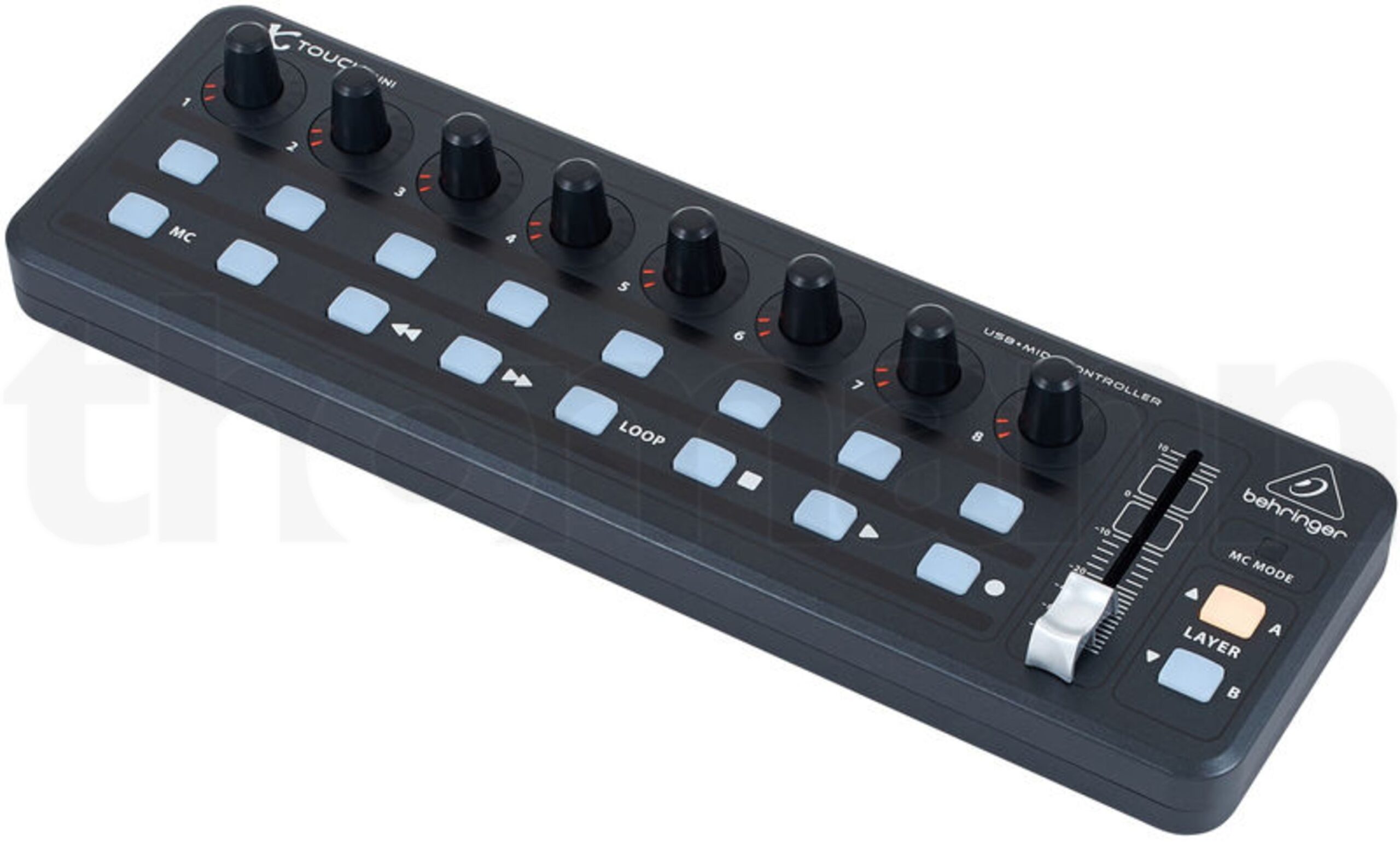
Sometimes you don't need motorized faders and an OLED display. Sometimes a few physical knobs are enough to avoid constantly clicking tiny sliders with the mouse in FL Studio. That's exactly what the Behringer X-Touch Mini is for — and it costs less than a nice dinner.
For about €65, you get 16 illuminated buttons, 8 rotary knobs with LED rings, and a 60mm fader. Thanks to Mackie Control emulation, it works immediately with FL Studio — transport, mixer, and basic channel control are directly available. The LED rings around the encoders show the current position, significantly improving visual feedback. The X-Touch Mini has two layers (A and B), effectively doubling the available controls.
The device is extremely compact (32.5 x 10.2 cm), bus-powered, and weighs only 500g — it fits next to any setup and in any backpack. No MIDI keyboard, no pads, no display — but physical control over your FL Studio mix at a price you don't have to think twice about. As an addition to a MIDI keyboard or as a pure mixer controller, the X-Touch Mini is an absolute no-brainer.
TECHNICAL SPECS
Manufacturer: Behringer
Buttons: 16 illuminated buttons
Encoder: 8 rotary knobs with LED rings
Fader: 1x 60mm fader
Layer: 2 control layers (A/B)
Protocol: Mackie Control Emulation
Connection: USB (bus-powered)
Dimensions: 32.5 x 10.2 x 4.7 cm / 500g
Price: approx. 65€
ARGUMENTS IN FAVOR
- Incredible price-performance ratio — physical control for under 70€
- Extremely compact and lightweight — fits next to any setup
- Mackie Control Emulation = works instantly with FL Studio
- LED rings on the encoders provide visual feedback on the current position
- 2 layers double the available controls
- Bus-powered — plug in and go
NEGATIVE POINTS
- Only a single small fader (60mm)
- No motorized faders — positions jump when switching layers
- No display — you can't see parameter names on the controller
- Build quality is... Behringer
- No MIDI keyboard and no pads
WHO IS IT SUITABLE FOR?
For every FL Studio user who wants physical control without spending a lot of money. Ideal as an addition to a MIDI keyboard or as a compact mixer controller. If you just want to control a few plugin parameters or your mix faster, the X-Touch Mini is a risk-free entry.
Link: Thomann
Comparison table: All 9 controllers at a glance
| Controller | Type | Keys/Pads | Fader/Encoder | FL Studio Integration | Price | Best for | Link |
|---|---|---|---|---|---|---|---|
| Auriteq Flow | Plugin Controller | 10 LCD buttons | 4 Encoders + Touchbar | Native (Sequencer Scene) | ~179€ | Plugin Workflow & Mixing | — |
| Novation FLkey 37 | FL Studio Keyboard | 37 Keys + 16 Pads | 8 Encoders | Dedicated for FL Studio | ~179€ | FL Studio specific | Thomann |
| Akai Fire | Pad controller | 64 RGB Pads | 4 encoders | Dedicated for FL Studio | ~149–199€ | Beatmaking & Step Sequencer | — |
| Novation Launchkey MK4 | Keyboard + Controller | 49 Keys + 16 Pads | 9 Faders + 8 Encoders | Via Scripts | ~219€ | All-rounder | Thomann |
| AKAI MPK Mini MK IV | Compact Keyboard | 25 Mini Keys + 8 Pads | 8 Encoders | Via Scripts | ~99€ | Portability | Thomann |
| Arturia KeyLab MK3 | Premium Keyboard | 61 Keys + 16 Pads | 9 Motor Faders + 9 Encoders | Via Scripts | ~549€ | Premium Keyboard | Thomann |
| Nektar Impact LX49+ | Budget Keyboard | 49 keys + 8 pads | 9 Faders + 8 Encoders | Nektar DAW integration | ~130€ | Budget with fader | Thomann |
| Novation FLkey Mini | Compact FL keyboard | 25 mini keys + 16 pads | 8 Encoders | Dedicated for FL Studio | ~99€ | Compact + FL-specific | Thomann |
| Behringer X-Touch Mini | Compact controller | 16 buttons | 1 fader + 8 encoders | MCU | ~65€ | Absolute budget | Thomann |
Which FL Studio controller suits you?
The selection is large, but the decision ultimately depends on your specific workflow. Here are our recommendations by use case:
Do you want plugin control and faster mixing? The Auriteq Flow combines automatic plugin mapping, metering, a dedicated sequencer scene, and mixer control in a compact device — and all for under 200€. Especially strong if you work a lot with third-party plugins.
Do you want the deepest FL Studio integration with a keyboard? The Novation FLkey 37 was specifically built for FL Studio — Channel Rack, Step Sequencer, and Mixer are immediately controllable. No other keyboard controller offers this depth.
Are you a beat producer living in the Step Sequencer? The Akai Fire maps FL Studio's Step Sequencer 1:1 on its 4×16 pad matrix. Programming beats feels like using a real drum machine.
Do you need an all-rounder that also works in other DAWs? The Novation Launchkey MK4 is our top recommendation. Keyboard, pads, fader, and encoder in one device — and the integration works with FL Studio, Ableton, Logic, and more.
Do you produce on the go and need maximum portability? The AKAI MPK Mini MK IV (universal) or the Novation FLkey Mini (FL Studio-specific) fit in any backpack. If you only use FL Studio, go for the FLkey Mini — if you want to stay flexible, go for the MPK Mini.
You're a keyboardist and want a premium instrument? The Arturia KeyLab MK3 combines excellent playability with motorized faders and a huge software bundle.
Do you want a full keyboard without spending much? The Nektar Impact LX49+ offers 49 keys, 9 faders, 8 encoders, and FL Studio integration for just 130€.
You want to get a feel for it first without investing too much? The Behringer X-Touch Mini gives you physical control for under 70€. A risk-free entry.
Conclusion
FL Studio has evolved tremendously in recent years when it comes to controller support. From dedicated FL Studio controllers like the FLkey and Akai Fire to universal all-rounders like the Launchkey MK4 and specialized plugin controllers like the Auriteq Flow — there's a suitable solution for every workflow and budget. A physical controller makes producing in FL Studio faster, more intuitive, and simply more fun. And that's what matters at the end of the day.
Our tip: Try out the controllers if possible beforehand — for example at Thomann or your local music store. How the pads feel, how fast the feedback is, whether the encoders are the right size for your fingers — that's individual. You can't really judge the feel in any review in the world. Only your own hands can tell you which controller is the right one.


 English
  German
  French
  Dutch
Dutch  Spanish
  Portuguese