
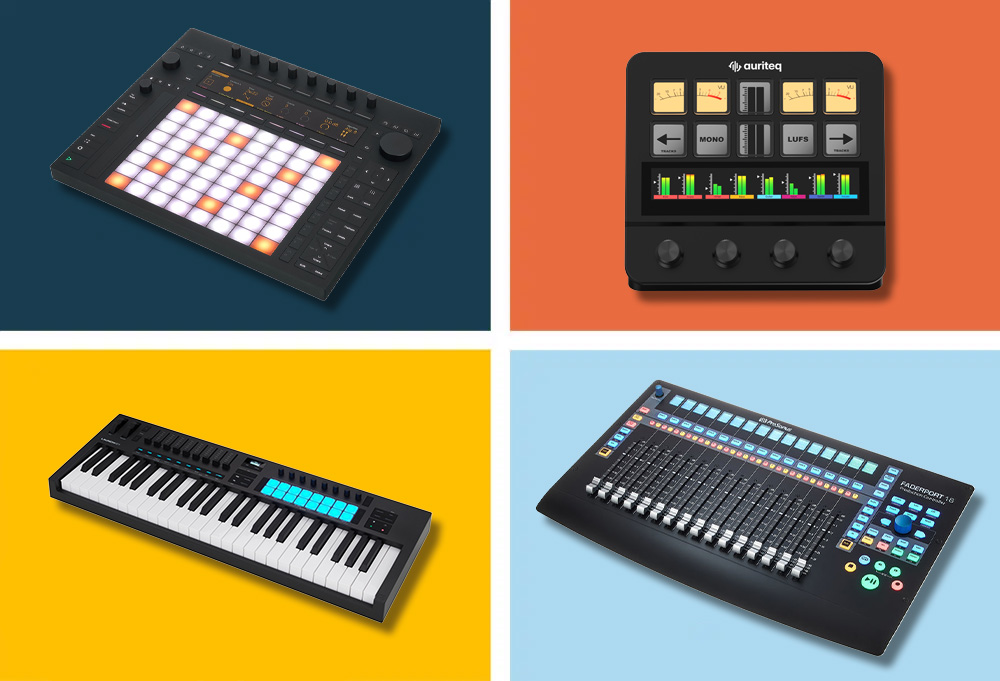
What is a DAW Controller — and why do you need one?
Hand on heart: How often do you click around on tiny faders in your DAW with the mouse and wish you could just touch a real knob? That's exactly what DAW controllers are for. They give you physical faders, encoders, pads, and transport buttons, allowing you to operate your software the way it feels right — with both hands, in real-time, without mouse acrobatics.
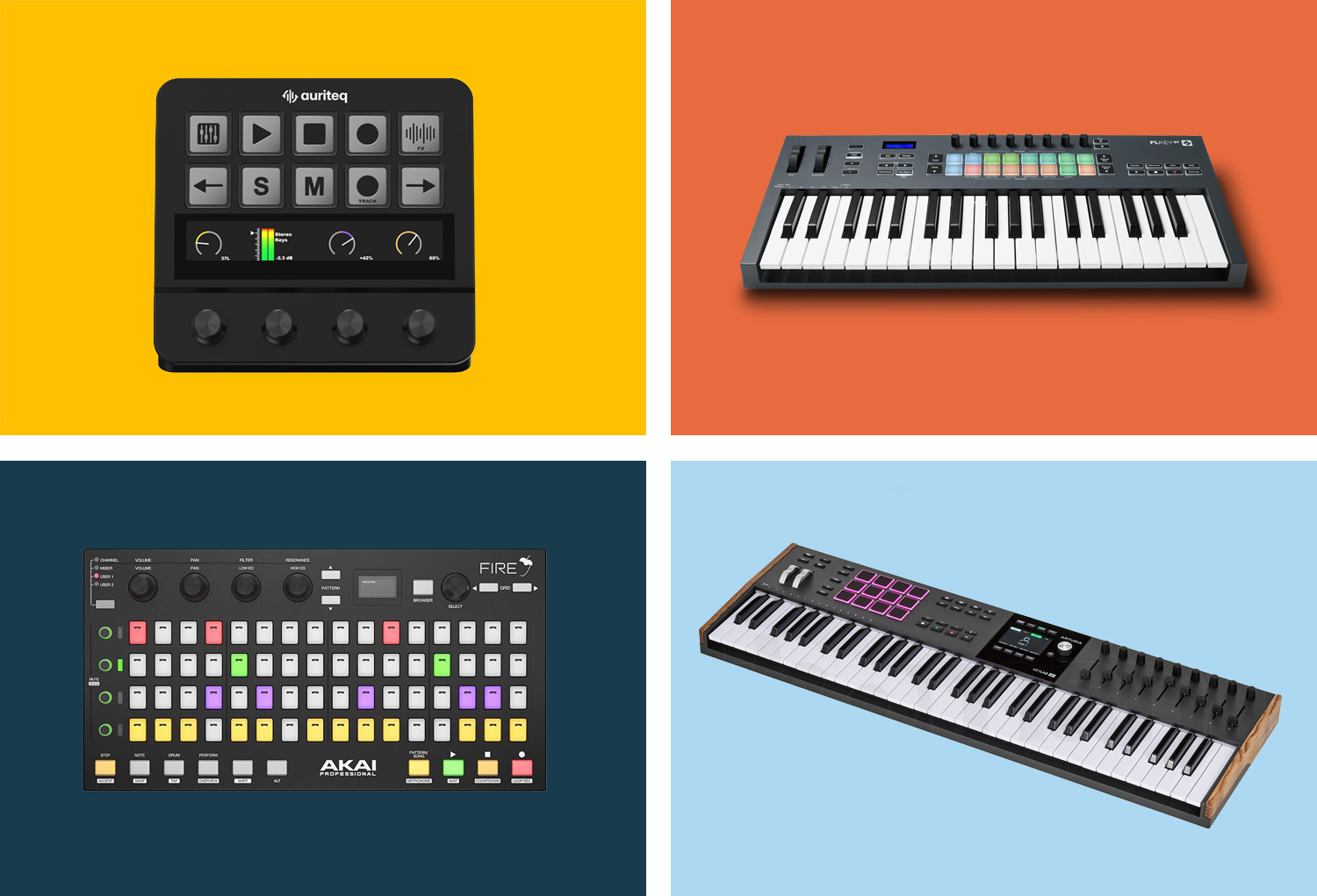
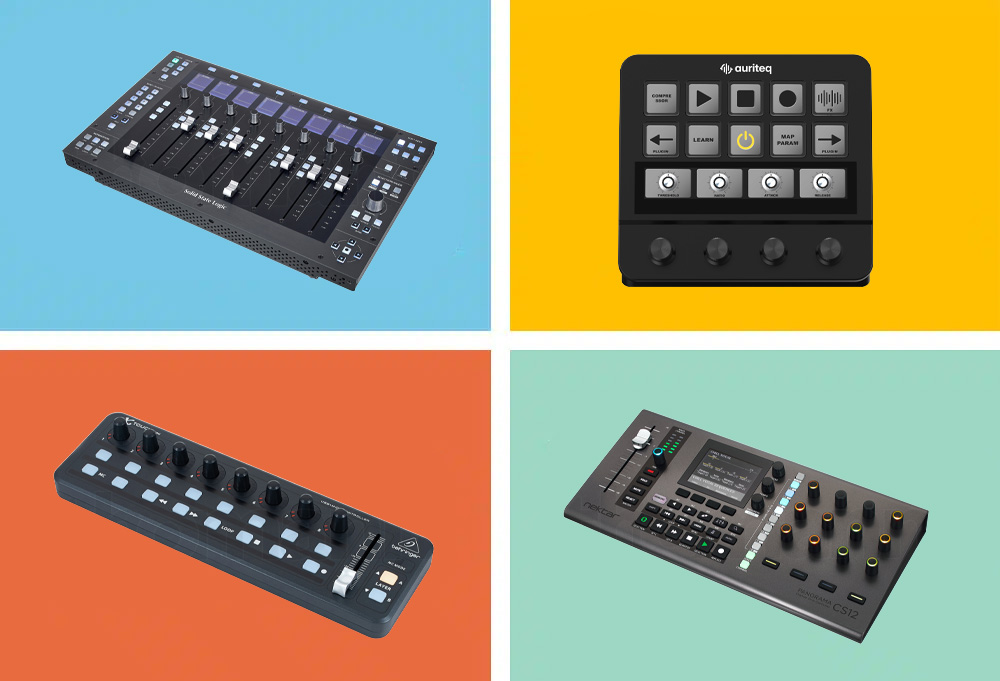
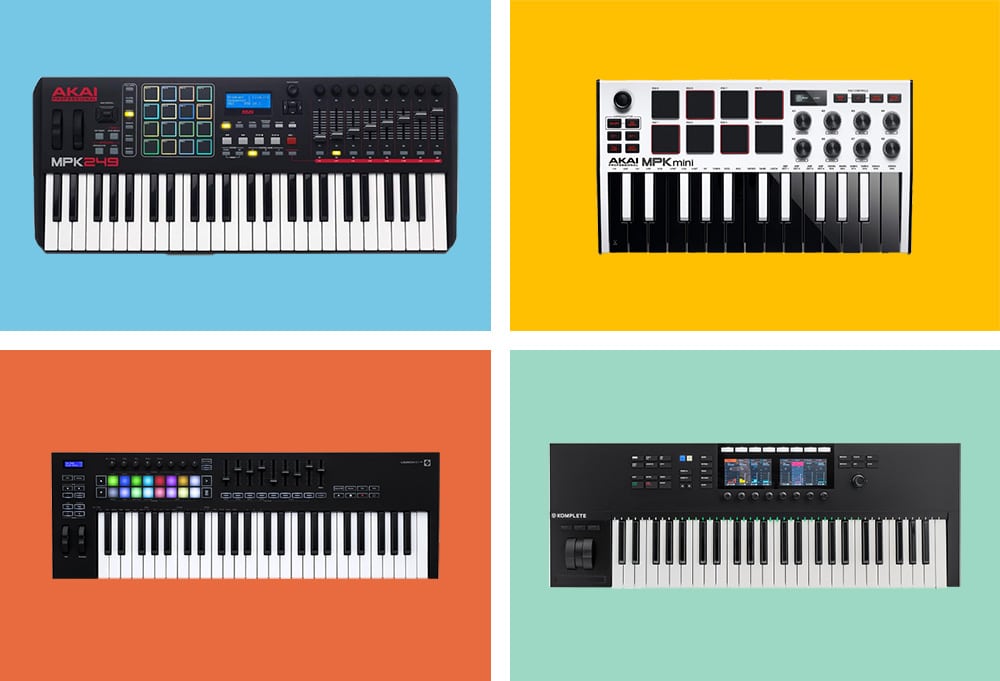
Whether you're building beats, arranging songs, or sitting on a mix for hours: A good DAW controller massively speeds up your workflow and just makes producing more fun. But which one is right for you? In this guide, we'll look at the 8 best DAW controllers in 2026 — from the compact budget wonder to the professional mixing console.
What to look for when buying
Before we dive into the individual models, here are the most important criteria you should keep in mind:
- DAW Compatibility: Not every controller works equally well with every DAW. Some are specifically optimized for Ableton, Logic, or FL Studio — others are universally applicable.
- Fader vs. Encoder: Motorized faders move automatically with your project. Encoders are cheaper, but you lose the visual feedback.
- Size and Placement: Do you have room for a 16-fader monster, or do you need something compact next to your laptop?
- Budget: Everything from €50 to over €1,000 is available. More money generally means better fader quality, more features, and deeper DAW integration.
- Keys or just controller? Some devices combine MIDI keyboard and DAW control. If you need both, you can save yourself a separate device.
The 8 Best DAW Controllers in 2026 at a Glance
1. Auriteq Flow — Best DAW Controller Overall
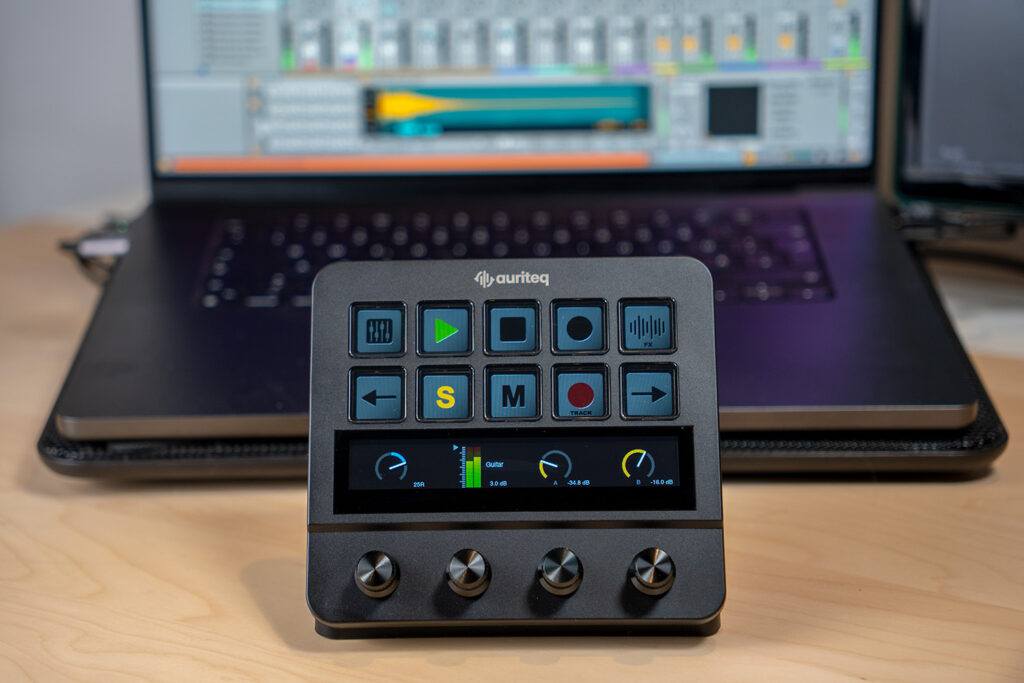
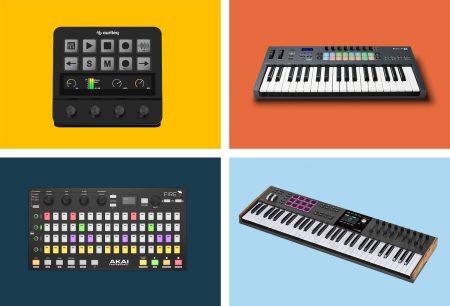
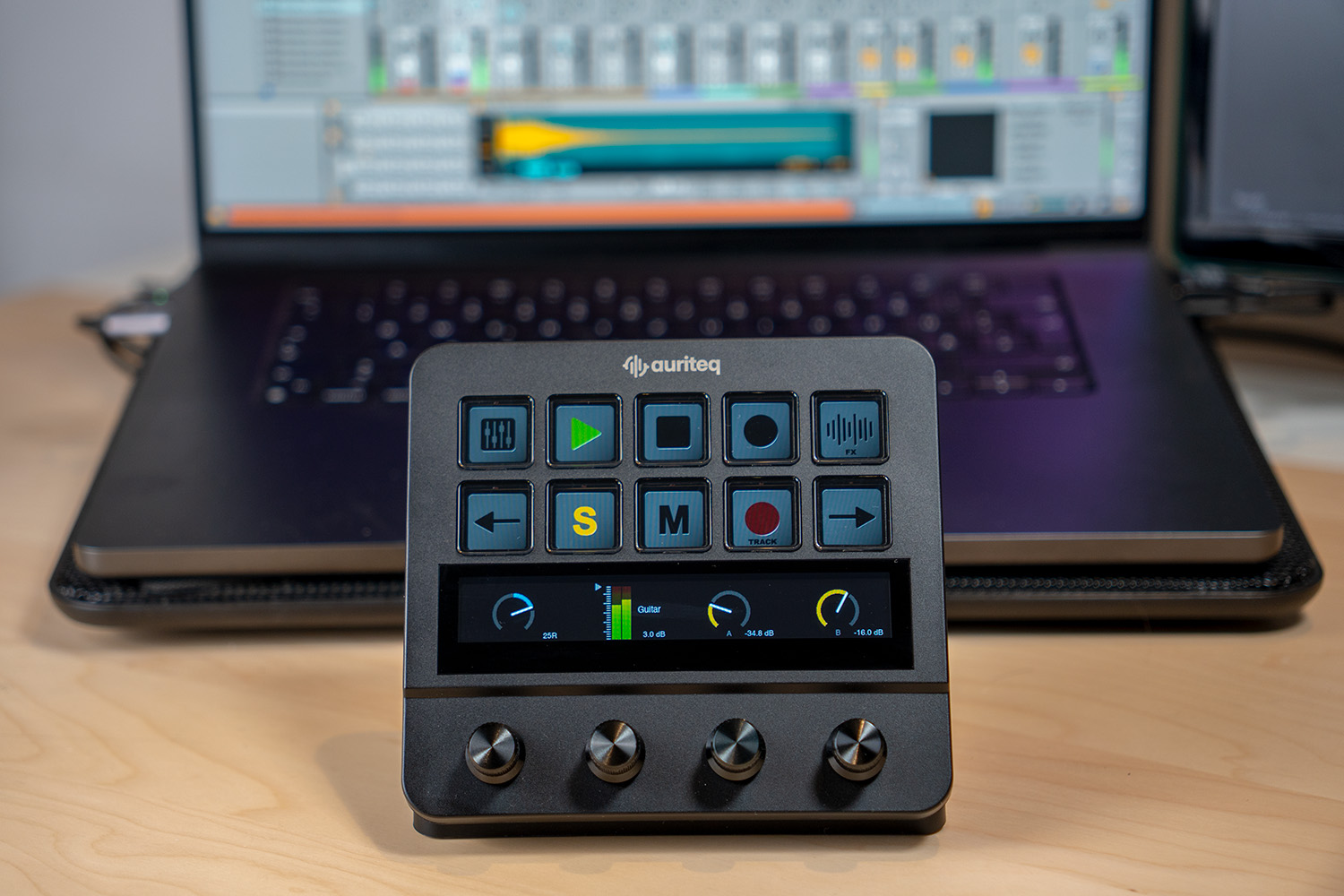
The Auriteq Flow is a relatively new player on the market, but it has quickly positioned itself as a serious alternative to the established top dogs. The concept: A compact desktop controller with a touchscreen, physical rotary knobs, and dynamic LCD buttons that seamlessly sits between you and your DAW — making the mouse completely unnecessary in many situations.
What sets the Flow apart from other controllers is the type of plugin integration. Where other controllers require tedious MIDI mapping or at best support the DAW's own plugins, the Flow automatically recognizes plugins — whether Serum, FabFilter, Valhalla, Soundtoys, or Kontakt. You open a plugin, the parameters appear on the touchscreen, and the physical knobs are immediately assigned. No setup, no MIDI learn, no configuration.
In addition, there's a feature that surprisingly saves a lot of time in everyday life: Plugins, effects, and complete chains can be loaded and saved directly from the controller. Combined with the integrated LUFS metering (including VU meter, short-term loudness, dynamic range) and the 8-track mixer view with real-time level displays, you practically have a small mixing console on your desk.
TECHNICAL SPECS
Manufacturer: Auriteq
Controls: 10 dynamic LCD buttons, touch bar, 4 pressure-sensitive rotary knobs
Display: Touchscreen with real-time metering and plugin display
Metering: LUFS, VU, RMS, Dynamic Range (via included VST/AU plugin)
Mixer: 8-track mixer with level indicators directly on the display
USB Hub: 2x USB-3, 2x USB-C integrated
DAW Support: Ableton Live, Logic Pro, FL Studio (native integration)
Connection: USB-C
Colors: Black, White
Price: ca. 179€
ARGUMENTS IN FAVOR
- Automatic plugin mapping — works immediately with DAW-native and third-party plugins, no setup required
- Touchscreen shows plugin parameters, metering, and mixer view in real-time
- Integrated LUFS metering at a professional level — no separate plugin needed
- Load and save plugins, instruments, and complete chains at the touch of a button
- Create your own mappings in under 5 seconds
- Integrated USB hub tidies up the desk
- Solid build quality — feels like professional equipment
- Also usable as a macro controller outside the DAW (shortcuts for Premiere, Photoshop, etc.)
NEGATIVE POINTS
- Takes a bit of time to get used to all the scenes and functions — but after about 2 hours, you've got it
WHO IS IT SUITABLE FOR?
For producers and mix engineers who work a lot with plugins and want to noticeably speed up their workflow. Particularly interesting for anyone who knows the feeling that the DAW stands between them and the music. The Flow brings back tactile, direct working — without having to learn a completely new operating concept. For the price of under 200€, a pretty convincing overall package. (Our full review)
2. Novation Launchkey MK4 (49 Keys) — Best All-Rounder
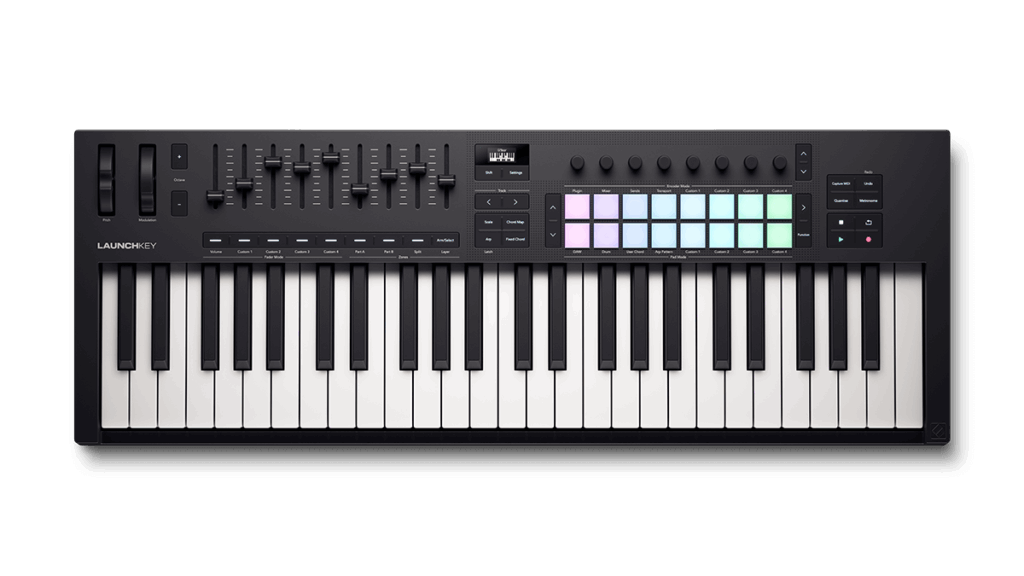
The Novation Launchkey MK4 is currently one of the most popular MIDI controllers on the market — and rightfully so. In its fourth generation, Novation has completely revamped the design and created a device that offers an incredible amount for both beginners and experienced producers.
What makes the Launchkey MK4 so special is the deep DAW integration. Especially Ableton users will be thrilled: Session View, Mixer, Device Control — everything is immediately accessible without having to configure anything. But Logic, Cubase, FL Studio, Reason, and Bitwig are also supported out-of-the-box.
TECHNICAL SPECS
Manufacturer: Novation
Keys: 49 semi-weighted waterfall-style keys
Pads: 16 velocity-sensitive pads
Fader: 9 faders
Encoder: 8 rotary knobs
Display: OLED display for real-time feedback
Connection: USB-C (bus-powered)
Included Software: Ableton Live Lite, Cubase LE, Novation Play, plugins from Klevgrand, GForce, Native Instruments, and Orchestral Tools
Price: approx. 219€
ARGUMENTS IN FAVOR
- Good DAW integration, especially with Ableton Live
- Creative chord and scale modes built-in — perfect for songwriters
- Generative arpeggiator for quick inspiration
NEGATIVE POINTS
- Not the best choice if you need weighted keys for piano playing
- Takes up relatively much space on the desk
- You only have an overview of which parameter you are currently controlling, but not what the other rotary knobs control
WHO IS IT SUITABLE FOR?
The Launchkey MK4 is perfect for producers looking for an all-in-one controller — MIDI keyboard, pad controller, and mix control in one device. Especially recommended for Ableton users, but also a dream with other DAWs.
3. Akai MPK Mini MK IV — Best Portable Controller
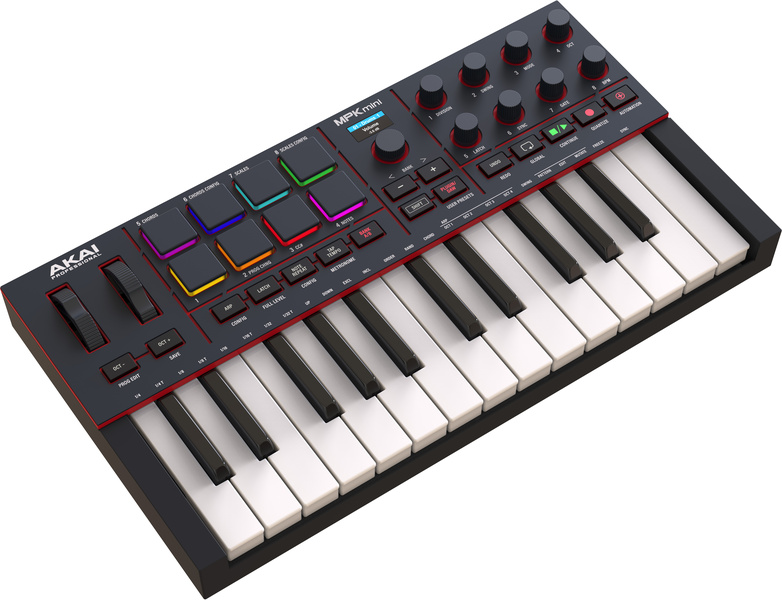
Small, light, affordable — and still surprisingly powerful. The Akai MPK Mini has been the best-selling MIDI controller worldwide for years, and the fourth generation makes everything even better. If you're producing on the go, on tour, or just have little space, the MPK Mini is your best friend.
The completely redesigned fourth version finally brings real pitch and modulation wheels (instead of the joystick of its predecessors), a color display, and improved keys with better response. Plus, there's a revamped arpeggiator with pattern, freeze, and mutate functions, which alone is worth the purchase.
TECHNICAL SPECS
Manufacturer: Akai Professional
Keys: 25 mini keys (velocity-sensitive)
Pads: 8 velocity-sensitive MPC pads (RGB-lit)
Encoder: 8 knobs (RGB-lit)
Display: Color display with DAW transport control
Connection: USB-C, 5-pin MIDI-out
Included Software: Studio Instrument Collection (1,000+ sounds from Akai, Moog, and AIR)
Price: approx. 99€
ARGUMENTS IN FAVOR
- Unbeatable value
- Extremely compact and portable — fits in any backpack
- Real pitch/mod wheels in the MK4 version
- MPC pads are excellent for beatmaking and finger drumming
- Color display is a big upgrade over the predecessor
- 5-pin MIDI-out for hardware synths
- Huge software suite included
NEGATIVE POINTS
- Mini keys take some getting used to for pianists
- No faders — not ideal for mixing
- 25 keys limit the range for keyboard playing
WHO IS IT SUITABLE FOR?
For anyone who needs a compact, versatile controller on the go. Perfect for beatmakers who work a lot with pads and for beginners on a budget. If you mainly want to play melodies and chords, a controller with larger keys might be a better choice.
4. Native Instruments Komplete Kontrol A49 — Best for NI users
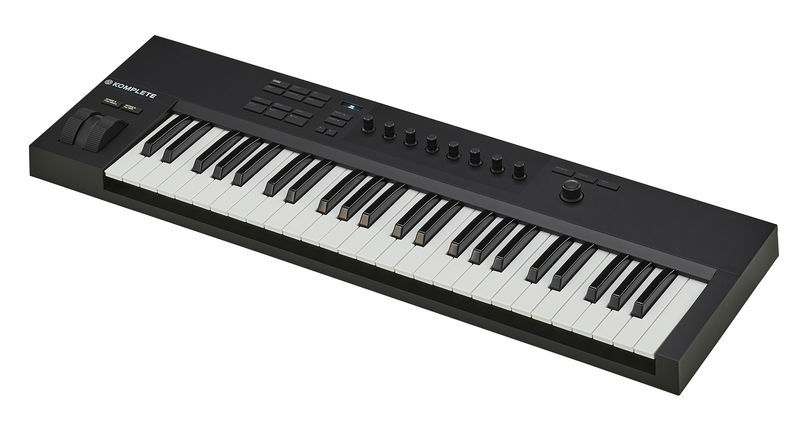
If you're already working with Native Instruments software — Kontakt, Massive, Reaktor, Battery — then the Komplete Kontrol A49 is the logical choice. The integration with the NI ecosystem is so deep that you can browse, load, and control your plugins directly from the controller without ever having to touch the mouse.
But even independent of NI software, the A49 is a solid controller. The semi-weighted keys feel good, the 8 touch-sensitive knobs respond precisely, and the OLED display gives you visual feedback on the assigned parameters at all times.
TECHNICAL SPECS
Manufacturer: Native Instruments
Keys: 49 semi-weighted keys
Encoder: 8 touch-sensitive knobs
Display: OLED display for parameter browsing
Connection: USB (bus-powered)
Special features: Chord progressions, 100+ scales and modes, NKS compatible
Included Software: Komplete 15 Select voucher
Price: approx. 169€
ARGUMENTS IN FAVOR
- Seamless integration with all NI plugins and NKS-compatible instruments
- Instrument browsing directly from the controller — no mouse clicking needed
- Touch-sensitive encoders for precise control
- Sleek, minimalist design
- No external power supply needed
- Komplete 15 Select is a huge software package
NEGATIVE POINTS
- No faders or pads — pure keyboard/encoder combo
- Outside the NI ecosystem, it loses its biggest advantage
- OLED display is relatively small
WHO IS IT SUITABLE FOR?
If Native Instruments software is the heart of your studio, there's no better choice. For users of other plugin manufacturers, the Launchkey or Arturia KeyLab offer more versatility.
5. Arturia KeyLab 88 MK3 — Best for pianists
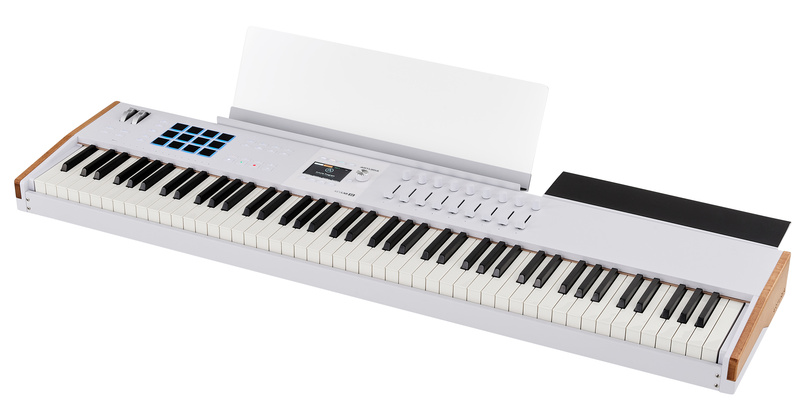
Are you a pianist or keyboardist and need an instrument that really feels like a real piano — but can also control your DAW? Then there's no way around the Arturia KeyLab 88 MK3. With its 88-key Fatar hammer action, this is not a controller that can also play piano on the side — it's a professional instrument with full DAW integration.
The Fatar keyboard is the same one used in much more expensive stage pianos and synthesizers. The playability is correspondingly excellent: weighted keys with realistic touch, suitable for both classical pieces and dynamic synth parts.
TECHNICAL SPECS
Manufacturer: Arturia
Keys: 88 weighted Fatar keys with hammer action
Pads: 12 velocity-sensitive pads with aftertouch
Encoder: 9 touch-sensitive rotary knobs
Fader: 9 touch-sensitive sliders
Connection: USB-C, 5-pin MIDI In/Out, 4 pedal inputs
Special features: DAW transport control, CV/Gate output
Included Software: Analog Lab Pro, Mini V, Piano V, Augmented Strings, Rev Plate-140
Price: ca. 999€
ARGUMENTS IN FAVOR
- Fatar hammer action — the best you can find in a controller
- Full DAW control with fader, encoder, and transport
- 12 pads with aftertouch for beatmaking
- 4 pedal inputs for maximum expression
- Analog Lab Pro included — thousands of sounds instantly available
- Beautiful, professional design
NEGATIVE POINTS
- Requires an external power supply
- Big and heavy — not for on-the-go (approx. 20 kg)
- At around 999€, a serious investment
WHO IS IT SUITABLE FOR?
For pianists and keyboardists who don't want to compromise on the keyboard. If you regularly play piano, Rhodes, or organ and want to control your mix from the keyboard at the same time, this is the right device.
6. Behringer X-Touch Mini — Best Budget Controller
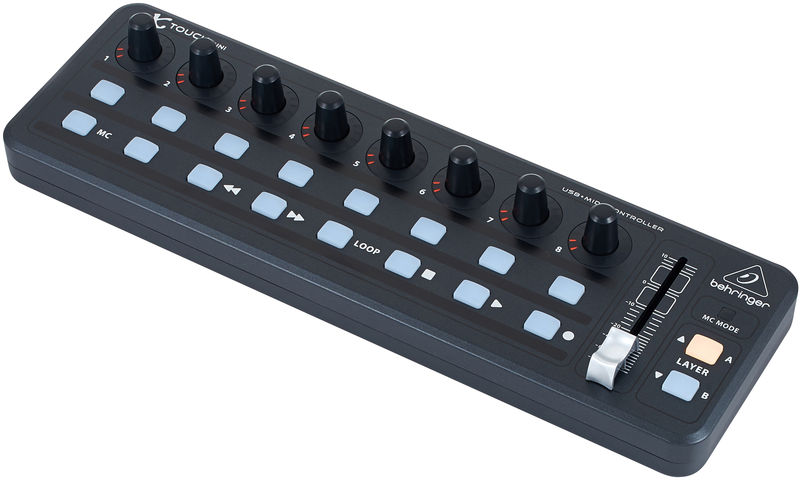
Sometimes you don't need 49 keys and an OLED display. Sometimes you just need a few physical controls so you don't have to constantly click tiny sliders with your mouse in your DAW. That's exactly what the Behringer X-Touch Mini is for — and it costs less than a nice dinner.
For around 65€, you get 16 illuminated buttons, 8 rotary knobs with LED rings, and a 60mm fader. That doesn't sound like much, but in practice, it's just the right amount of physical control that makes the difference. Thanks to Mackie Control Emulation, it works instantly with practically any DAW.
TECHNICAL SPECS
Manufacturer: Behringer
Buttons: 16 illuminated buttons
Encoder: 8 rotary knobs with LED rings
Fader: 1x 60mm fader
Layer: 2 control layers (A/B)
Protocol: Mackie Control Emulation
Connection: USB (bus-powered)
Dimensions: 32.5 x 10.2 x 4.7 cm / 500g
Price: approx. 65€
ARGUMENTS IN FAVOR
- Incredible value for money
- Extremely compact and lightweight — fits next to any setup
- Mackie Control Emulation = works instantly with any DAW
- LED rings on the encoders provide visual feedback
- 2 layers double the available control elements
NEGATIVE POINTS
- Only a single fader
- No motorized faders — positions jump when switching
- No display
- Build quality is... Behringer
WHO IS IT SUITABLE FOR?
For anyone who wants physical control without spending a lot of money. Ideal as a complement to a MIDI keyboard or as a compact travel controller. If you just want to control a few plugin parameters or your mix faster, the X-Touch Mini is a no-brainer.
7. PreSonus FaderPort 16 — Best for Mixing
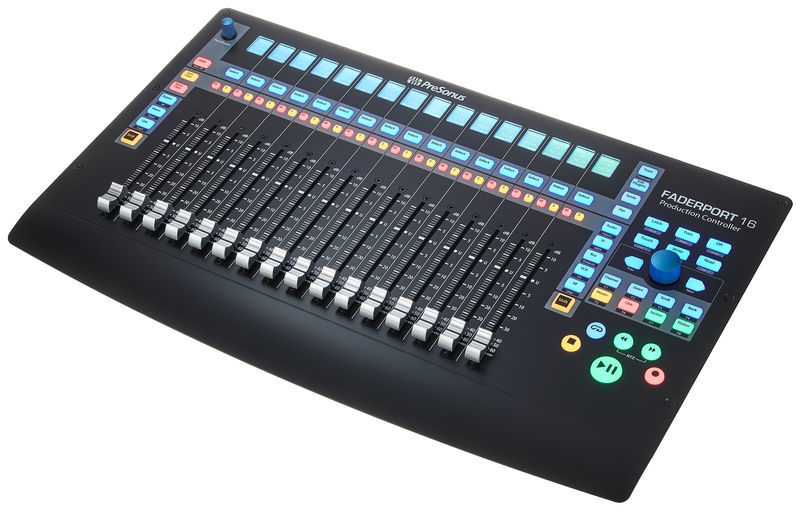
Now it gets serious. The PreSonus FaderPort 16 is no toy — it's a professional mixing tool with 16 motorized, touch-sensitive faders that turn your studio into a real mixing console.
The concept is simple but brilliant: 16 real, 100mm long motor faders that automatically move with your project. You open a mix with 32 tracks, and the faders jump to the right positions. You switch the bank, and they move to the next group. It's a completely different mixing experience than with the mouse — faster, more intuitive, and much more satisfying.
TECHNICAL SPECS
Manufacturer: PreSonus
Fader: 16x 100mm motorized, touch-sensitive faders
Buttons: 89 buttons (104 functions)
Display: Digital channel strips (Scribble Strips) for each channel
Modes: Level, Pan, Send, Plugin, Automation
Protocol: HUI and Mackie Control
DAW Support: Optimized for Studio One, compatible with Logic, Cubase, Pro Tools, and more
Special features: Session Navigator for quick navigation
Price: approx. 839€
ARGUMENTS IN FAVOR
- 16 motorized faders — real mixing feel
- Touch-sensitive faders for automation write
- Scribble strips show channel names directly at the fader
- Mute/Solo/Record per channel — no more mouse clicking
- Session navigator for quick scrolling through large projects
- More compact than you'd expect with 16 faders
NEGATIVE POINTS
- No encoders for plugin parameters (only faders and buttons)
- No MIDI keyboard — pure mixing controller
- Pricey for hobby producers
- Works best with Studio One — other DAWs need more setup
WHO IS IT SUITABLE FOR?
If you regularly mix large projects and are tired of mouse mixing, the FaderPort 16 is an investment that makes an immediate impact. Especially a dream for Studio One users, but also works great with Logic, Cubase, and Pro Tools.
8. Ableton Push 3 — Best for Ableton purists (if money is no object)
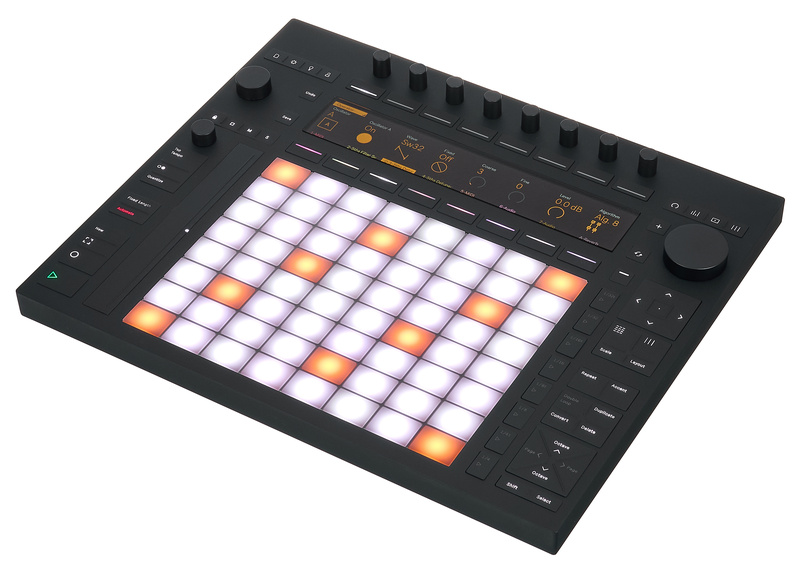
The Ableton Push 3 is less of a classic DAW controller and more of a standalone instrument. In the standalone version, you can produce completely without a computer — with a built-in processor, audio interface, and battery. It's impressive, but it comes at a price: just under €2,000 for the standalone version.
For those who work exclusively in Ableton, the Push 3 offers the deepest integration available. 64 MPE-capable pads, a high-resolution display, and access to virtually every function of the DAW without touching the mouse. For all other DAWs, however, the Push 3 is useless — it only works with Ableton Live.
TECHNICAL SPECS
Manufacturer: Ableton
Pads: 64 MPE-capable, illuminated pads
Encoder: 8 rotary knobs
Additional inputs: Touchstrip, jog wheel
Display: 9.07″ x 1.51″ high-resolution display
Connections: USB, 2x MIDI I/O, Audio I/O (6.3mm), optical Toslink
Standalone version: Intel Core i3, 8GB RAM, 256GB SSD, about 2.5 hours battery
Price: about €999 (DAW version) / about €1,999 (standalone)
ARGUMENTS IN FAVOR
- The deepest Ableton integration on the market — no other controller comes close
- MPE-capable pads allow incredibly expressive playing
- Standalone version: Produce without a computer, with battery
- High-resolution display shows waveforms, clips, and plugin parameters
- Perfect for live performance
NEGATIVE POINTS
- Works ONLY with Ableton Live — no other DAW, no exceptions
- No traditional keyboard — you play melodies and chords on pads
- The standalone version is a real investment at around €1,999
- Even the DAW-only version costs €999 — more than most controllers on this list
- Steep learning curve until you master all the functions
WHO IS IT SUITABLE FOR?
If Ableton Live is your everything — in the studio and on stage — and you're ready to shell out some serious cash, there's nothing better. For those who occasionally work with another DAW or have a limited budget, the options further up this list are the smarter choice.
Comparison table: All 8 controllers at a glance
| Controller | Type | Fader/Encoder | Display | Price | Best for |
|---|---|---|---|---|---|
| Auriteq Flow | DAW Controller | 4 Encoders + 10 LCD Buttons | Touchscreen | ~179€ | Plugin Workflow & Mixing |
| Novation Launchkey MK4 | Keyboard + Controller | 9 Faders + 8 Encoders | OLED | ~219€ | All-rounder |
| Akai MPK Mini MK IV | Mini Keyboard | 8 Encoders | Color Display | ~99€ | Portability |
| NI Komplete Kontrol A49 | keyboard | 8 Encoders | OLED | ~169€ | NI ecosystem |
| Arturia KeyLab 88 MK3 | 88-key keyboard | 9 faders + 9 encoders | — | ~999€ | Pianists |
| Behringer X-Touch Mini | Compact controller | 1 fader + 8 encoders | — | ~65€ | Budget |
| PreSonus FaderPort 16 | Mixing controller | 16 motorized faders | Scribble strips | ~839€ | Mixing |
| Ableton Push 3 | Pad controller / Standalone | 8 Encoders | High resolution | ~999€ / ~1.999€ | Ableton purists |
Which DAW controller suits you?
The answer depends on what you mainly do and which DAW you use. Here are our recommendations by use case:
Want the best overall package? The Auriteq Flow combines plugin control, mixing, metering, and transport in a compact device — and all for under 200€. Hard to beat. Plus, you can also control all other possible programs like Premiere, DaVinci Resolve, Photoshop, easily via hotkeys.
Need an all-rounder with a keyboard? The Novation Launchkey MK4 is our top recommendation. Keyboard, pads, faders, and encoders in one device — and the DAW integration is excellent.
Are you a beginner with a small budget? Grab the Akai MPK Mini MK IV for €99 or the Behringer X-Touch Mini for €65. Both give you physical control without breaking the bank.
Do you mainly use Native Instruments? The Komplete Kontrol A49 is made just for that. The NKS integration alone is worth the purchase.
Are you a pianist or keyboardist? The Arturia KeyLab 88 MK3 is the only choice on this list with real hammer action. No compromise.
Do you regularly mix large projects? The PreSonus FaderPort 16 changes the way you work. Motorized faders are irreplaceable when mixing.
Do you live and breathe Ableton? The Ableton Push 3 is the ultimate tool — but be aware that you'll need to put €999 to €1,999 on the table and be tied to Ableton.
Conclusion
The best DAW controller is the one that fits your workflow. There's no "one size fits all" — but there's the right tool for every producer. Whether you spend €65 or €1,999: A physical controller makes producing faster, more intuitive, and just more fun. And that's what counts at the end of the day.
Our tip: Try out the controllers if possible beforehand — for example at or your local music store. You can't really judge the feel and playability in any review in the world. Only your own hands can tell you which controller is the right one.

 English
  German
  French
  Dutch
Dutch  Spanish
  Portuguese